Renewals Dashboard Reports
Last updated: September 22, 2026
Overview
The Renewals dashboard tracks upcoming contract renewals, renewal value, and progress across renewal stages. It's under Reports → Dashboards → Renewals.
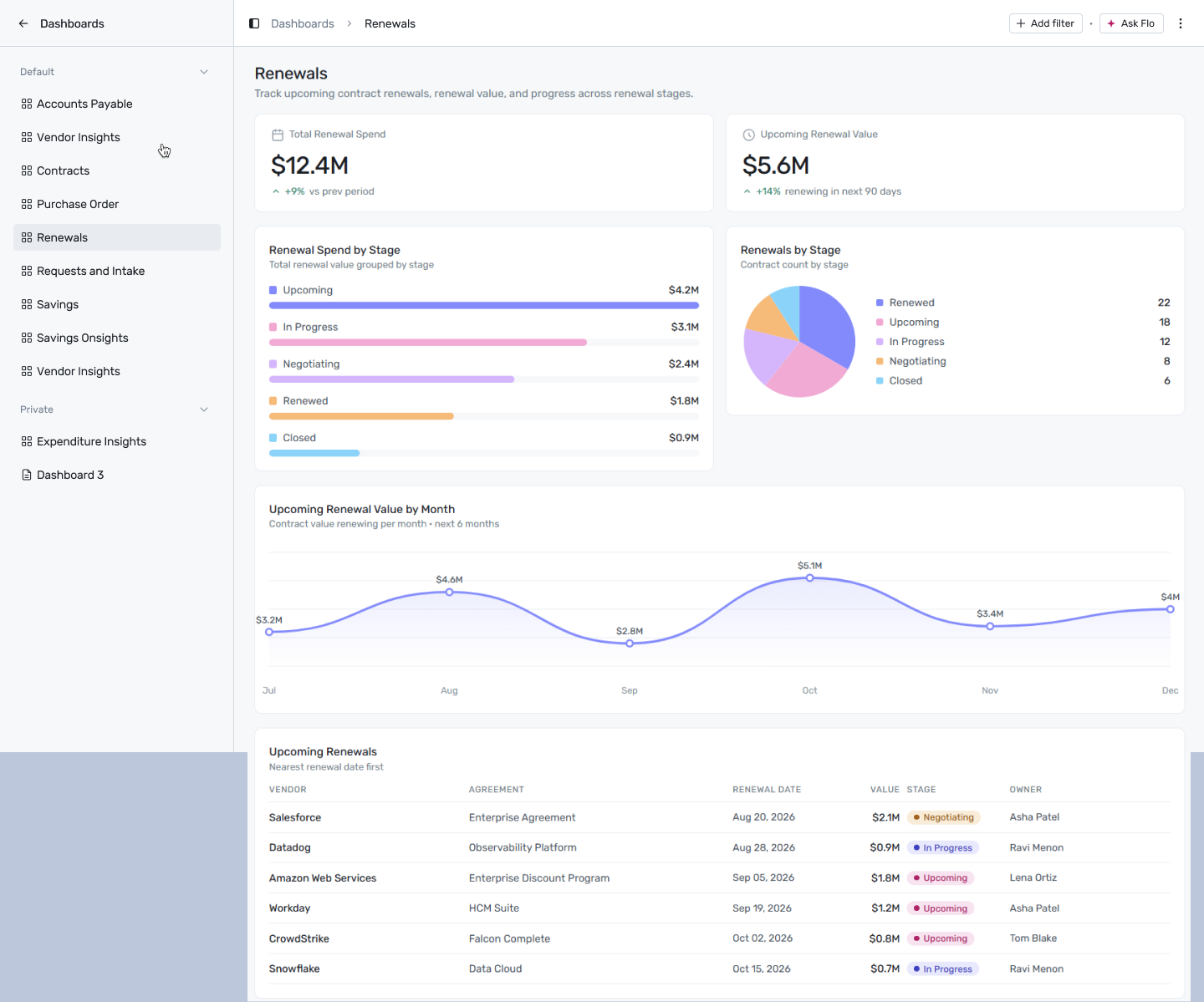
Reports → Dashboards → Renewals
Filtering
Click + Add filter to narrow this dashboard by:
Date — applies to Upcoming Renewal Value by Month and Upcoming Renewals.
Department — not currently supported by any report on this dashboard.
A filter only affects the widgets whose report declares that dimension — anything else is left unchanged.
Reports on this dashboard
Total Renewal Spend

The total value of renewals across every stage, with a trend badge against the prior period. Use the trend arrow as a quick check on whether your overall renewal spend is climbing or easing off, before drilling into which stage is driving it.
Upcoming Renewal Value

The value of renewals due in the next 90 days, with a trend badge. This is your near-term workload number — a high figure here means a busy renewal quarter ahead, regardless of what the full-year Total Renewal Spend looks like.
Renewal Spend by Stage
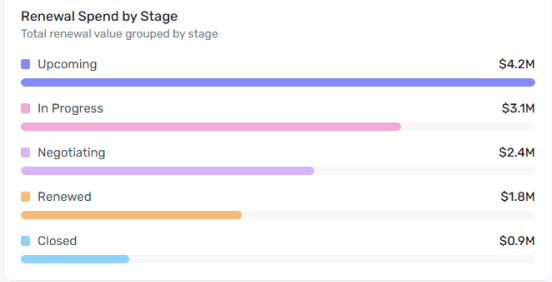
Ranks renewal stages — Upcoming, In Progress, Negotiating, Renewed, Closed — by the dollar value sitting in each. A large Upcoming or Negotiating bar represents value still at risk of slipping or being renegotiated; a large Renewed bar is value that's already locked in.
Renewals by Stage
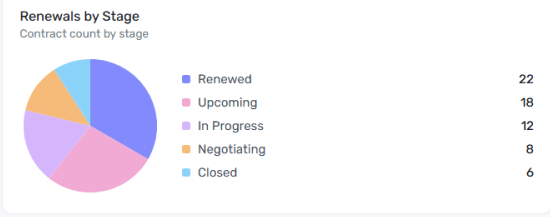
The same stages as a pie chart, but by contract count rather than dollar value. Read this alongside Renewal Spend by Stage: a stage can have many small contracts (high count, low value) or a few large ones (low count, high value), and the two charts together tell you which is which.
Upcoming Renewal Value by Month
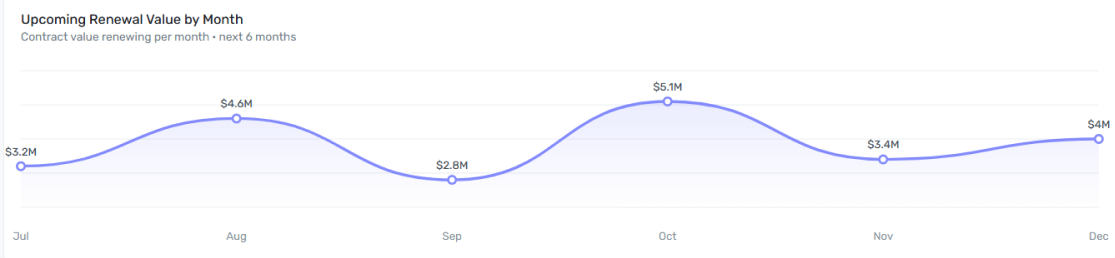
A line chart forecasting renewal value due each month over the next six months. Use it for capacity planning — a spike in a particular month means a cluster of renewals landing at once, which is worth staffing for ahead of time rather than discovering when negotiations pile up.
Upcoming Renewals
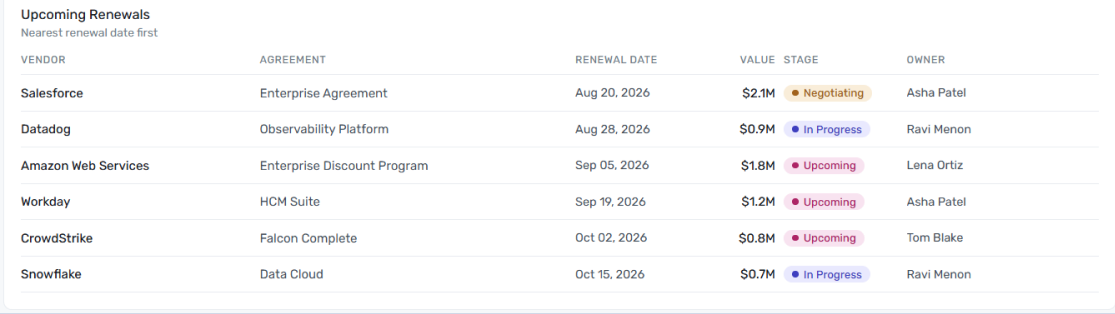
A row-per-contract table of renewals coming up, nearest date first — vendor, agreement, renewal date, value, stage, and owner. This is where you go once a chart above tells you there's a busy month or a stage full of value at risk, and you need to know exactly which contracts and owners are behind it.