Introduction to Spendflo’s onboarding
Last updated: August 7, 2026
Overview
Beyond the guided kickoff your Customer Success team runs with you, Spendflo also tracks your setup progress right inside the app — a running checklist of the configuration steps that get your workspace fully operational.
Finding your setup progress
Click your avatar in the bottom-left of the sidebar. If setup isn't complete yet, you'll see a Setup Spendflo card with a progress bar showing exactly how far along you are.

The avatar menu shows your setup progress at a glance — here, 75% complete.
Click the card to open the full Finish Setup checklist.
The Finish Setup checklist
Setup steps are grouped by area, each with its own completion status. Steps already done show a green checkmark; the current step shows what it involves and gives you a Configure button (or Skip Step, if you'd rather come back to it later).
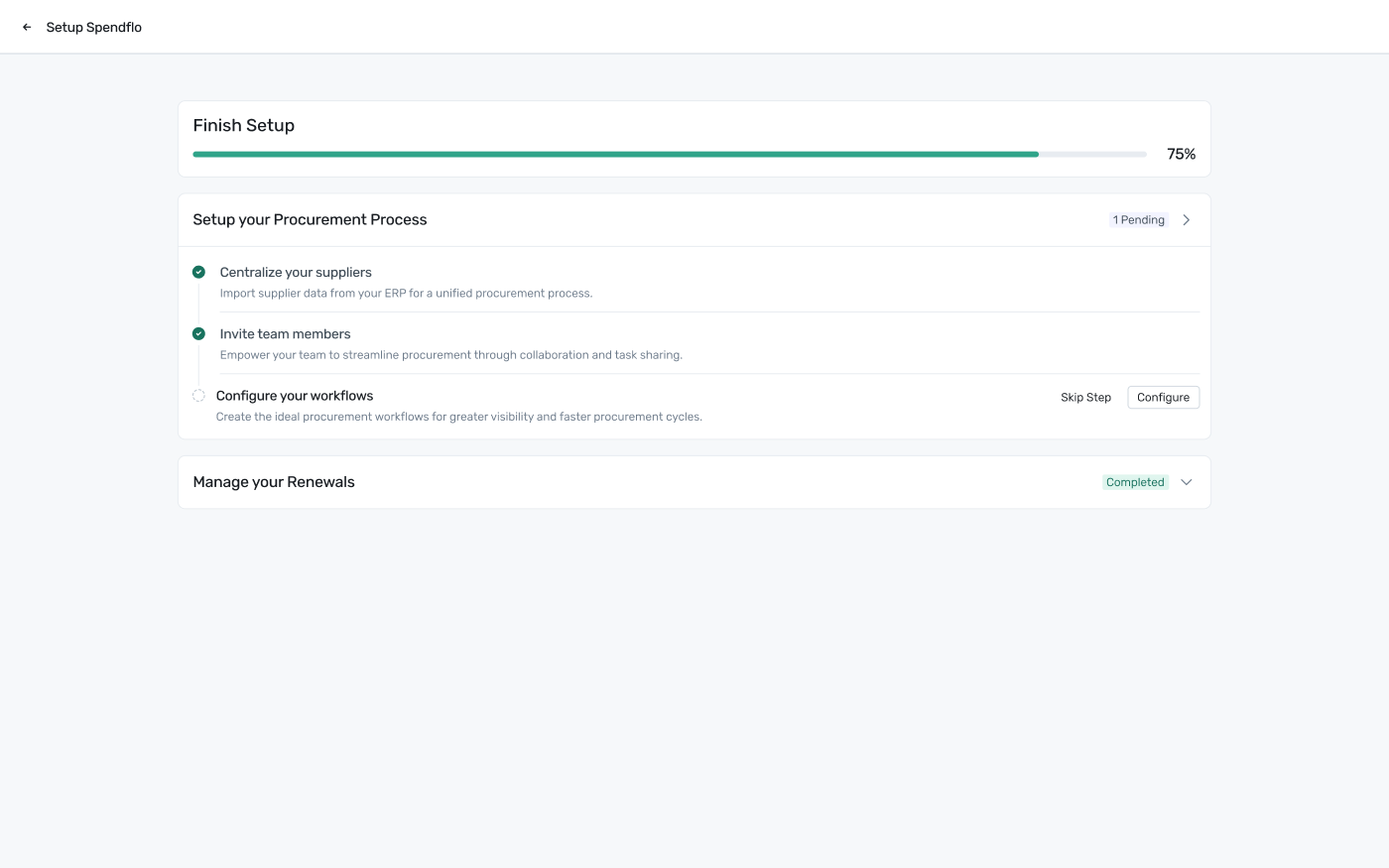
The Finish Setup page — steps grouped by area, with per-step progress and actions.
The checklist is organized into groups. For example, Setup your Procurement Process covers:
Centralize your suppliers — import supplier data from your ERP for a unified procurement process. See Streamline procurement.
Invite team members — bring your team into Spendflo so they can collaborate and share tasks. See Streamline procurement.
Configure your workflows — set up the approval workflows your procurement process runs on.
Manage your Renewals is a separate group covering renewal setup — see Stay on top of your renewals for the step-by-step. Other groups cover optimizing your tech stack and getting spend/usage insights — see Optimize your tech stack and Get insights on spend and usage for those.
Each group can be expanded or collapsed, and shows its own status (e.g. "1 Pending" or "Completed") so you always know what's left without opening every section.