Contracts Overview Dashboard Reports
Last updated: September 22, 2026
Overview
The Contracts dashboard (shown as Contracts Overview in the sidebar) shows contracted spend and your top agreements by value. It's under Reports → Dashboards → Contracts Overview.
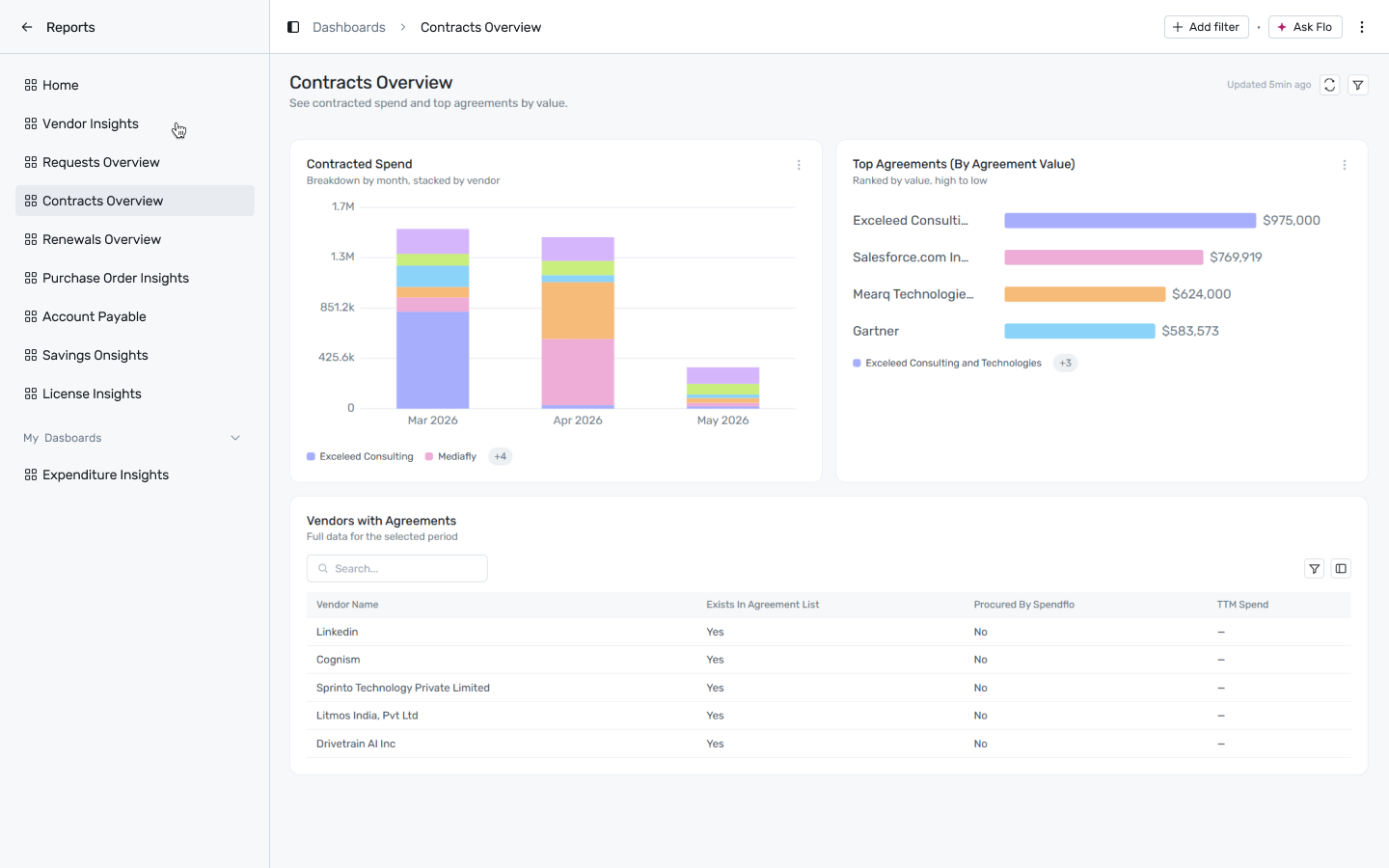
Reports → Dashboards → Contracts Overview
Filtering
Click + Add filter to narrow this dashboard by:
Date — applies to Contracted Spend.
Department — applies to Contracted Spend and Vendors with Agreements.
A filter only affects the widgets whose report declares that dimension — anything else is left unchanged.
Reports on this dashboard
Contracted Spend
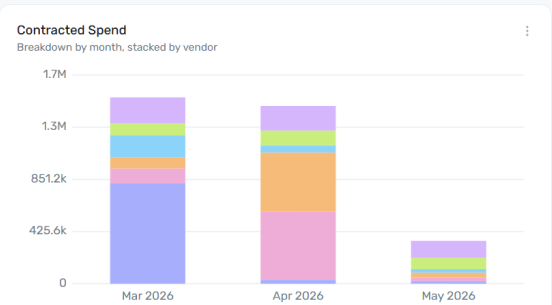
A stacked bar chart of contracted spend by month, with each bar broken into segments by vendor. Watch for a single vendor's segment dominating a month's bar — that's concentration risk sitting inside what otherwise looks like normal monthly spend.
Top Agreements (By Agreement Value)
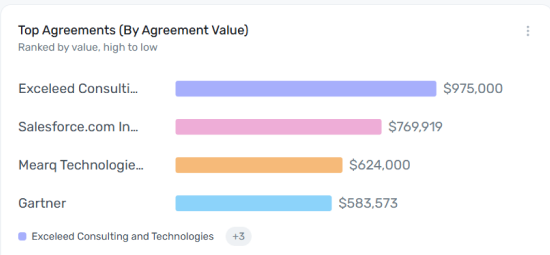
A horizontal bar chart that ranks individual contracts/agreements by total value, highest to lowest — this is per-agreement, not per-vendor, so a single vendor can appear more than once if they hold multiple contracts. Use it to spot your highest-value single commitments at a glance.
Vendors with Agreements
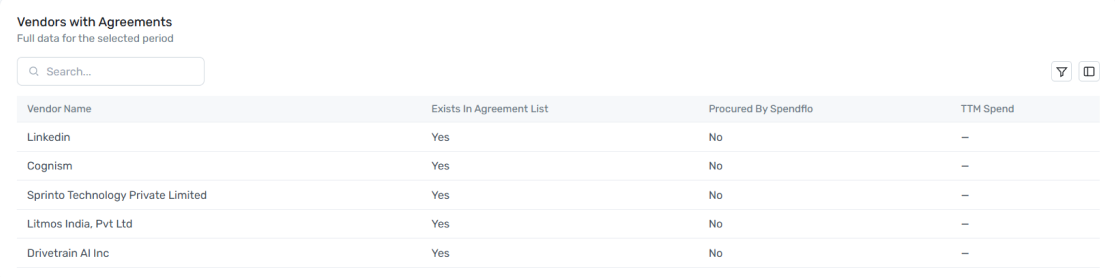
A full, searchable table of every vendor, showing whether each one exists in your agreement list, whether it was procured by Spendflo, and its trailing-twelve-month spend. A vendor with real spend but no agreement on file is a compliance gap worth chasing down; a vendor with an agreement but "Procured by Spendflo: No" is spend that bypassed Spendflo entirely.