How to perform quick actions
Last updated: June 26, 2026
Overview
The quick Actions column is available within the workflow listing page. Here’s how to leverage the actions in a single click:
Perform quick actions
Step 1. Go to the workflow listing page and navigate to the Actions column on the table.
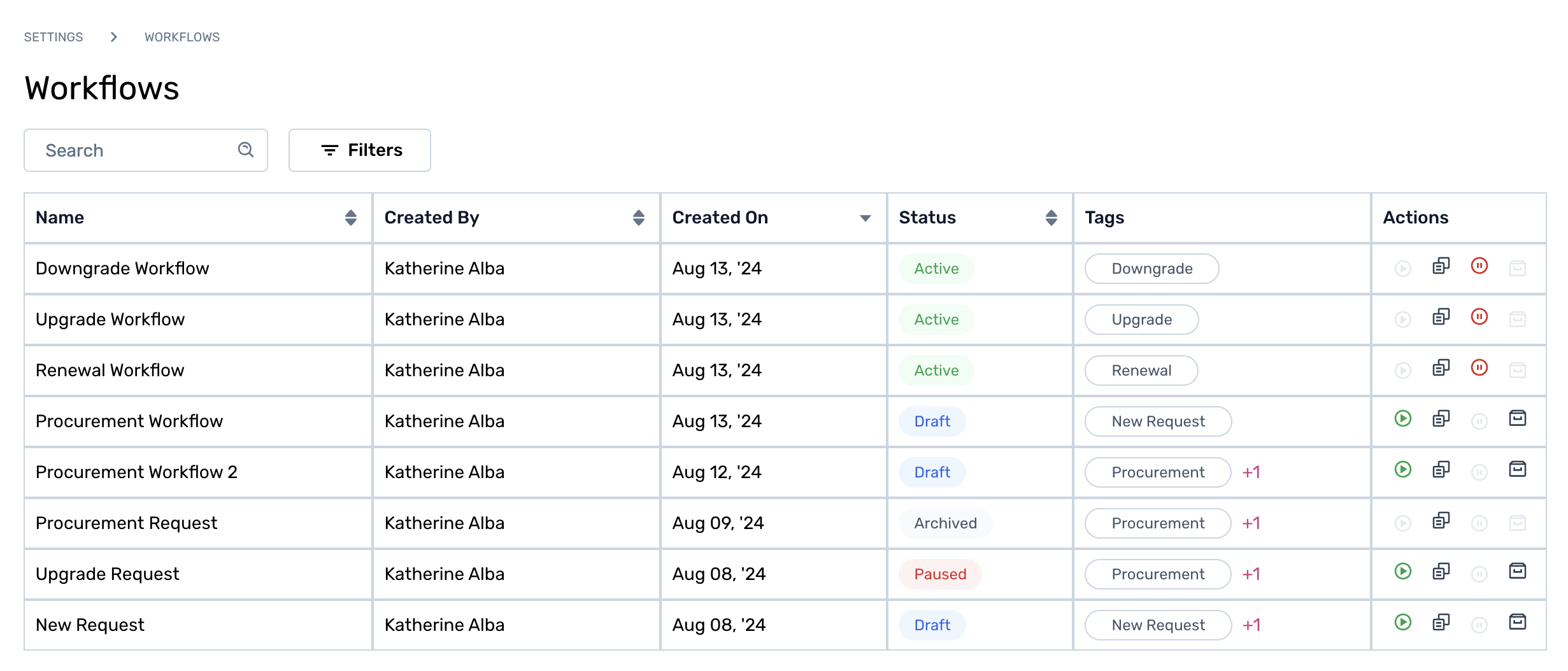
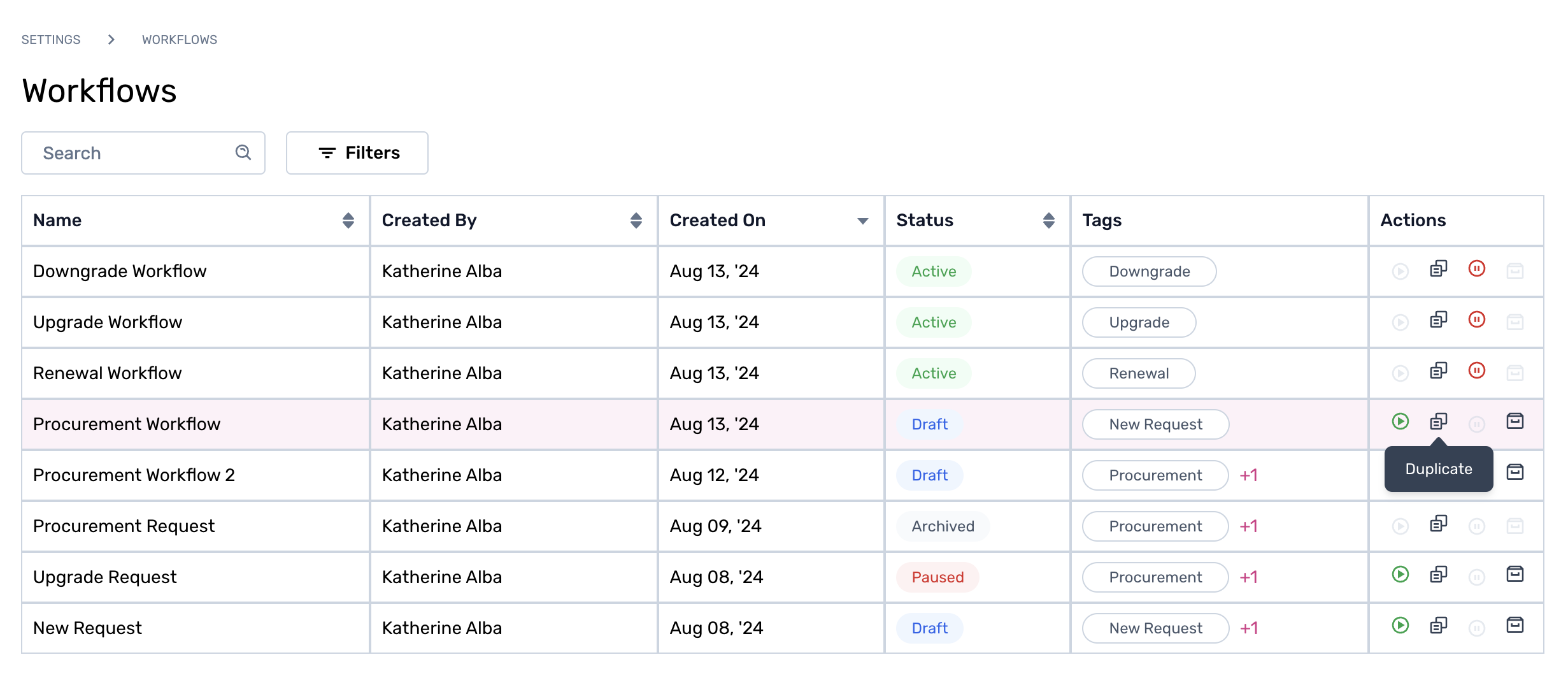
Step 2. Hover over the icons (Publish, Duplicate, Pause, Archive) to select the required action. To know more about quick actions, click here.

Step 3. Click on the action required, and the result will instantly appear in the status column.
To learn more about workflow versioning, click here.