How to delete a task
Last updated: June 26, 2026
Overview
Tasks within a workflow can be deleted as needed. Admins can follow these steps to delete tasks:
Deleting tasks
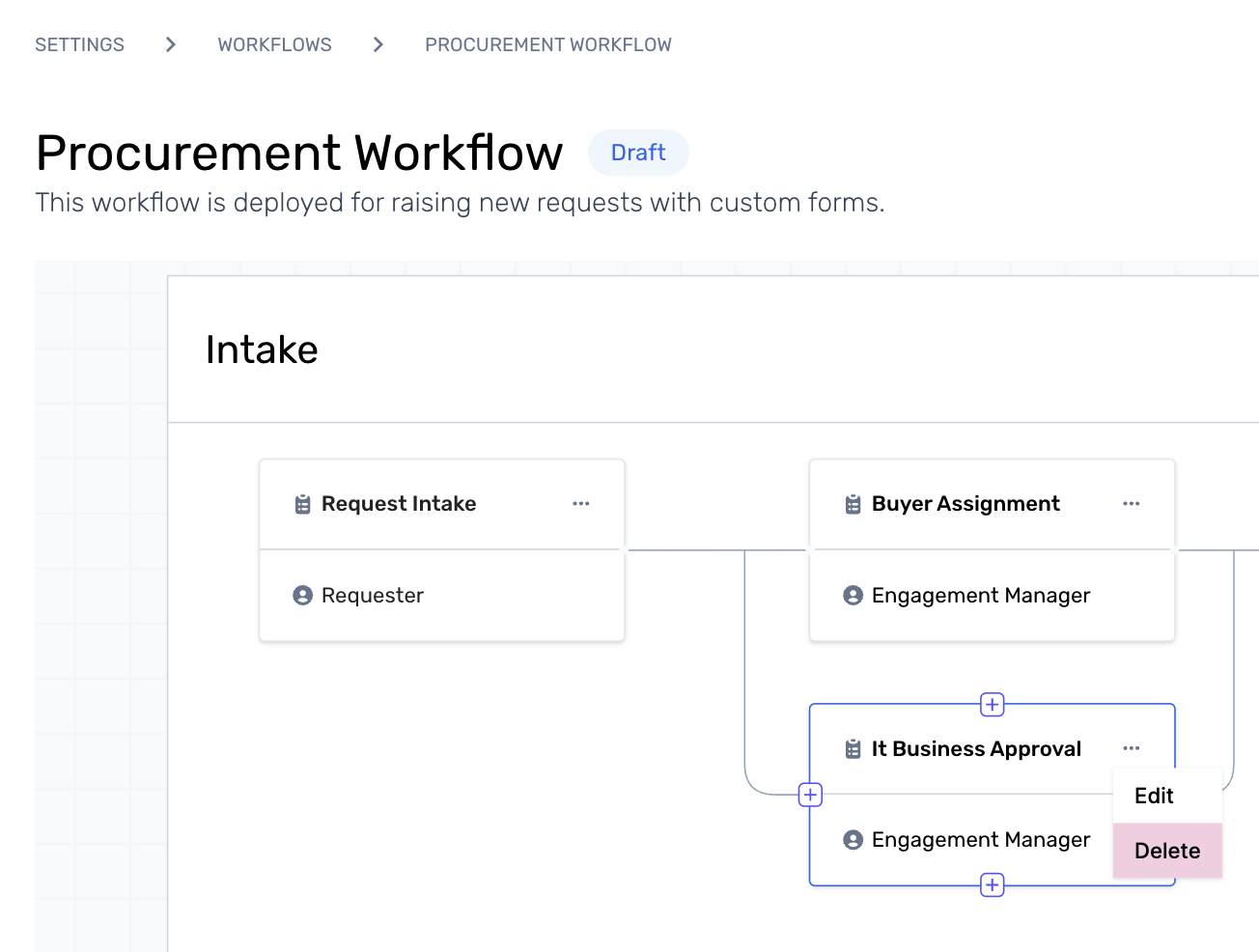
Step 1. Start from the active workflow studio and click on the task menu to see options to Edit or Delete a task. Click on Delete to proceed.
Step 2. Click on Delete from the pop-up to confirm.
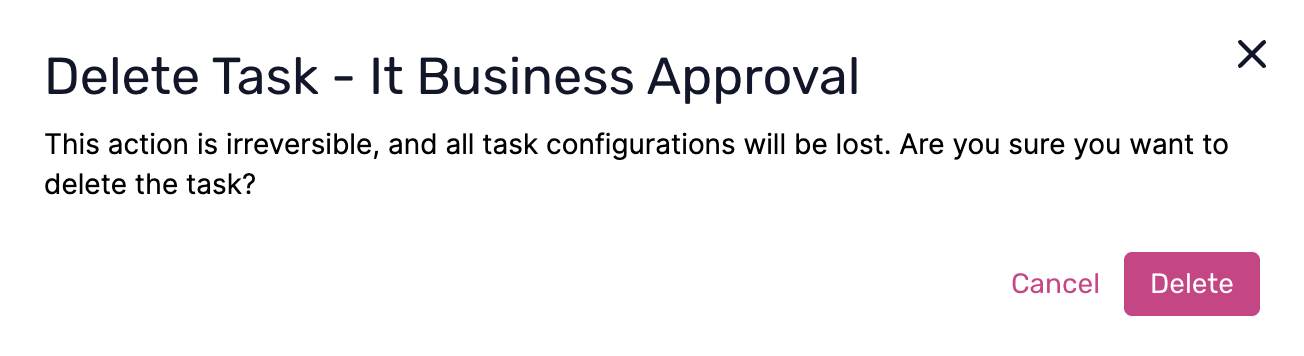
Note: The delete action cannot be undone.Click here to learn more about workflow creation.