How to assign a Product Owner
Last updated: June 26, 2026
Overview
Every SaaS application must be assigned an owner. This individual serves as the primary point of contact for any inquiries concerning that particular application. Whether it's about the purpose of the app, the reasons behind increased expenses in a given month, or the decision to renew the application, the owner is responsible for providing answers.
The owner can either be someone from the relevant business unit or, in certain cases, someone appointed from the IT department.
Failure to assign owners to applications can lead to a precarious situation where control over your SaaS ecosystem might slip away. Let's take a look at how you can assign or reassign product owners on Spendflo.
Choose the product
Navigate to the 'Products' section in Spendflo to access the Product Table. Here, you'll find all the apps in your portfolio, along with their current app owners and associated tags.
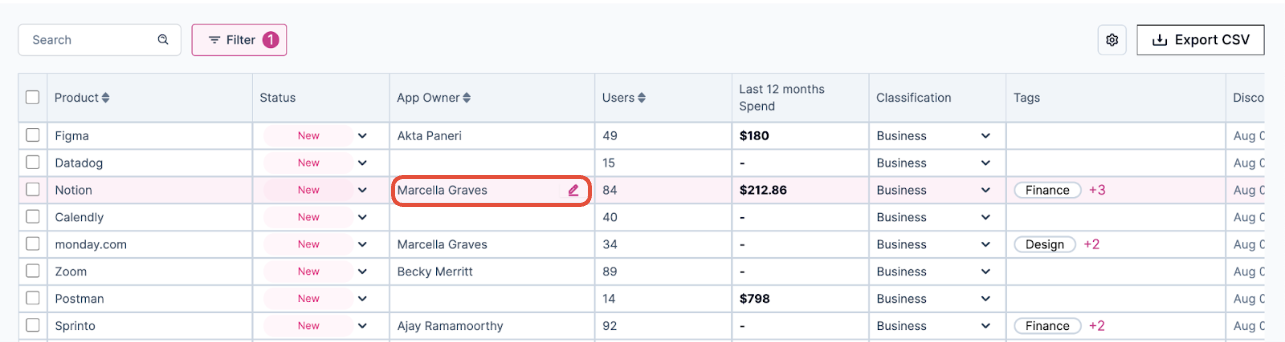
To update an owner, click on the owner's name in the Product Table.
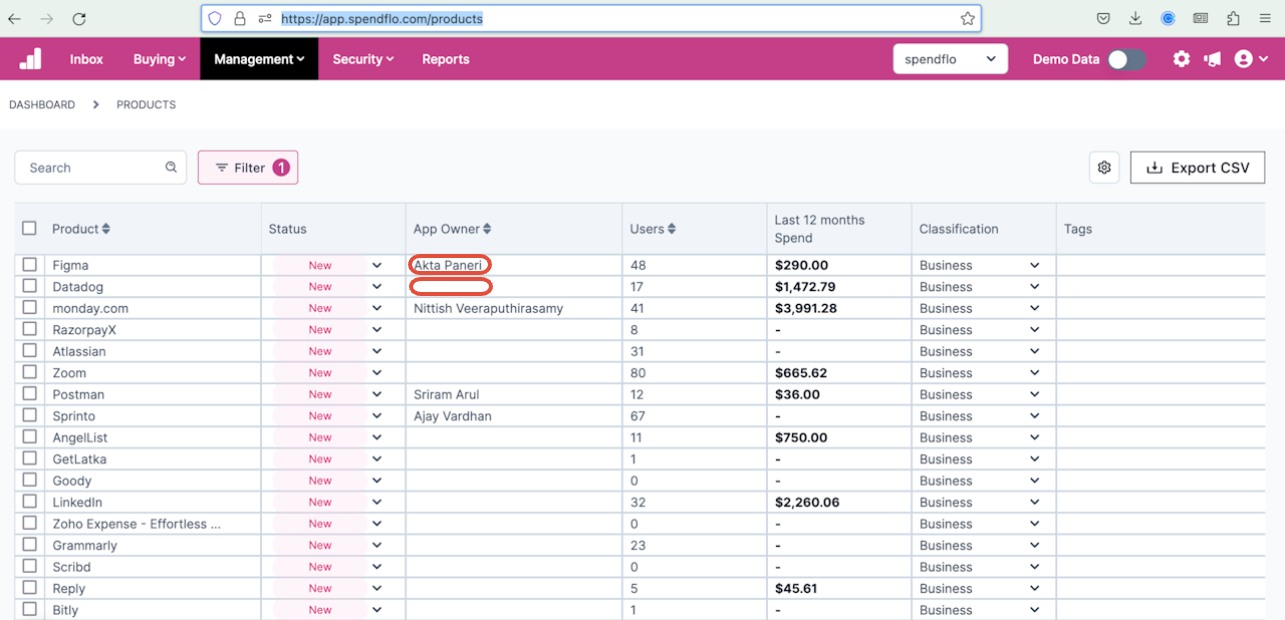
Inline edit of owner name
Enter the new app owner's name or select it from the dropdown list, and press 'Enter' or click outside the field to save the changes.

To change or Reassign an App Owner
Click on the App Owner name of the App
Search for a different owner.
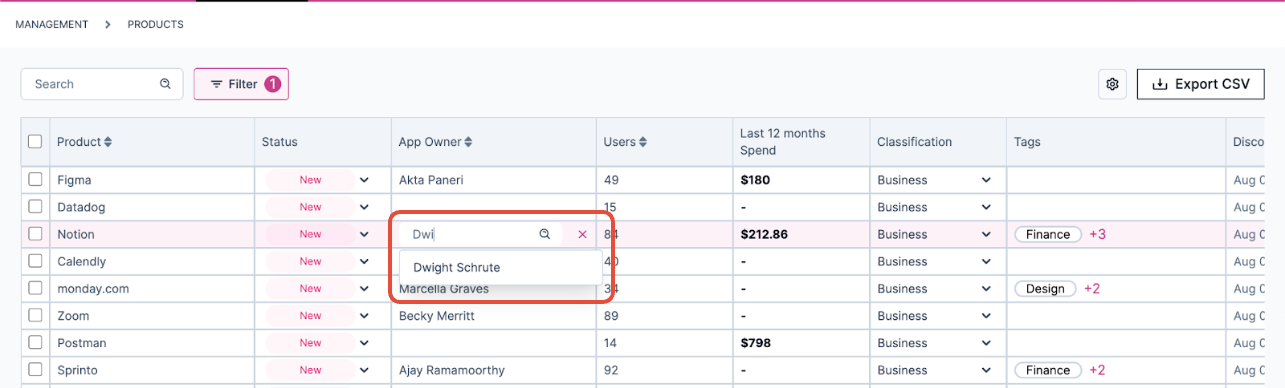
Click save