How to add conditions to a workflow
Last updated: June 26, 2026
Overview
Conditions in workflows are rules using a trigger-condition-action (TCA) system, where conditions lead to specific actions. These checks use an IF-ELSE or AND-OR model, allowing users to set AND or OR criteria within the IF condition to compare various fields.
Note: The conditions for AND - OR and IF - ELSE can only be added with a minimum of two or more conditions.To learn more about conditions, click here.
To add conditions to a workflow within the Spendflo platform, follow these steps:
Adding conditions
Step 1. Click on an active or ongoing workflow to add conditions.

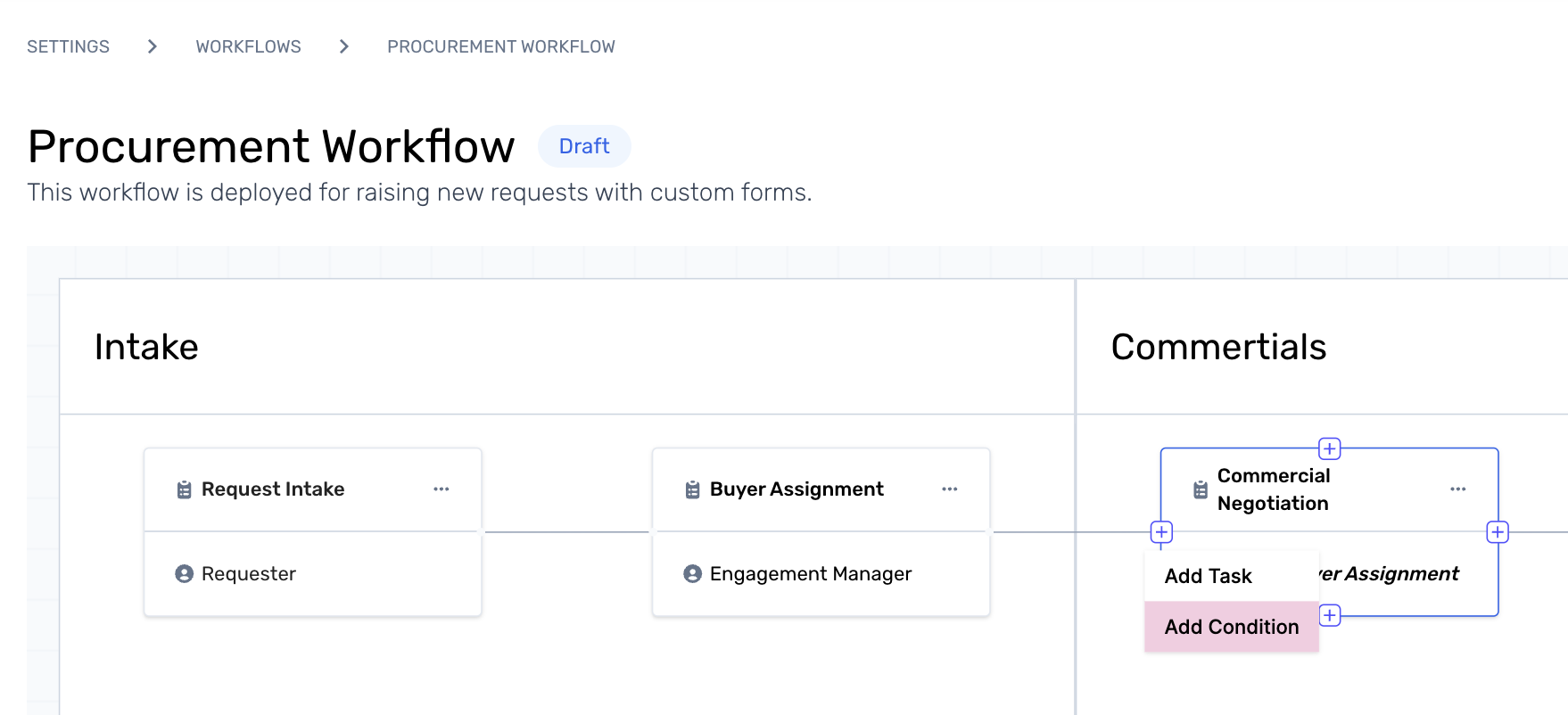
Step 2. Hover over any task within a phase, and click on the ‘+’ icon on the left side of the path to see two actions - Add Condition and Add Task. Click on Add Condition to define the workflow conditions.
Step 3. A pop-up will appear for admins to configure the workflow based on IF - ELSE conditions.
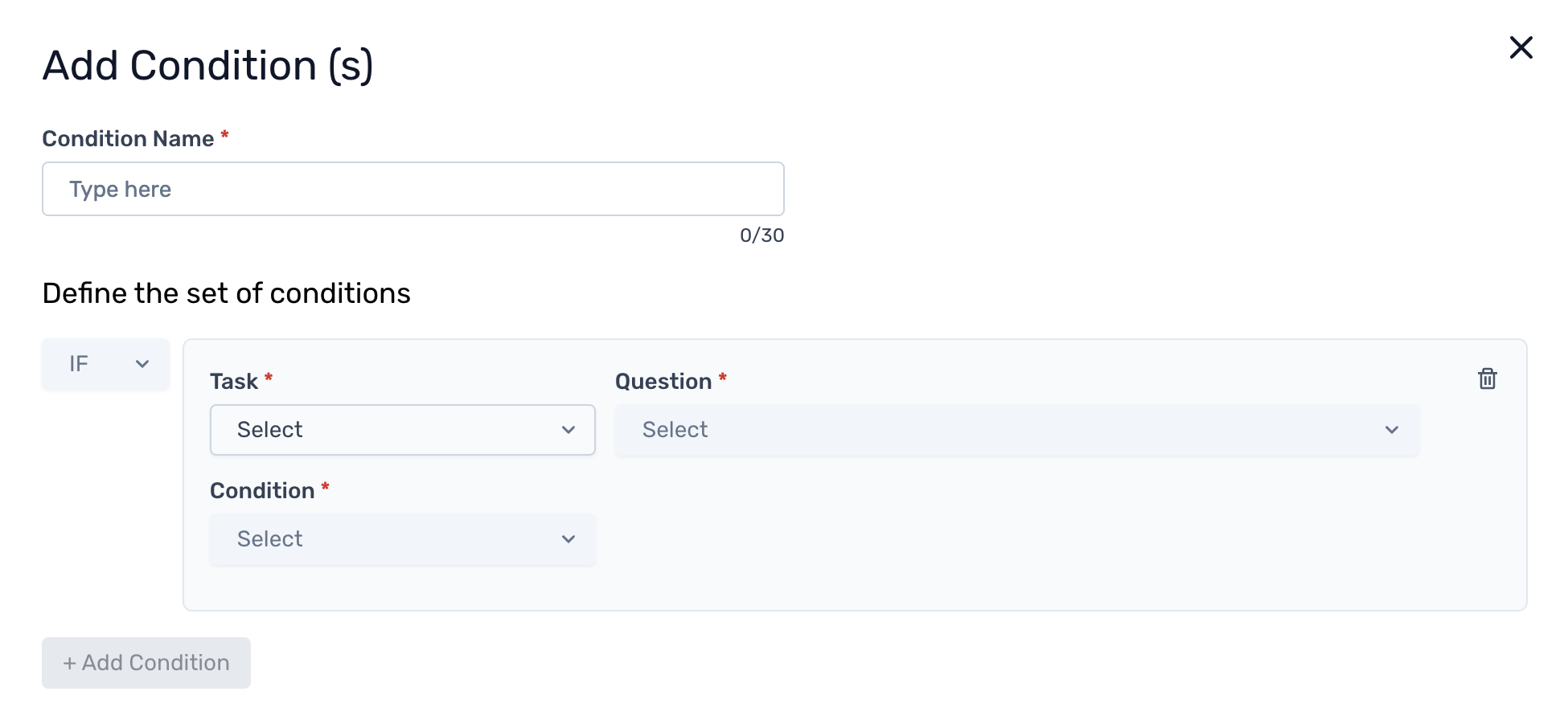
Click here to learn more about how to configure conditions on workflows.