How to create and save custom views on the request listing page
Last updated: June 26, 2026
Overview
Besides the default view tabs, Spendflo allows requesters to create custom views with saved filters. Here’s how it can be done with just a few clicks:
Creating and Saving Custom Views
Step 1. Navigate to the ‘Custom View’ tab within the request listing page.
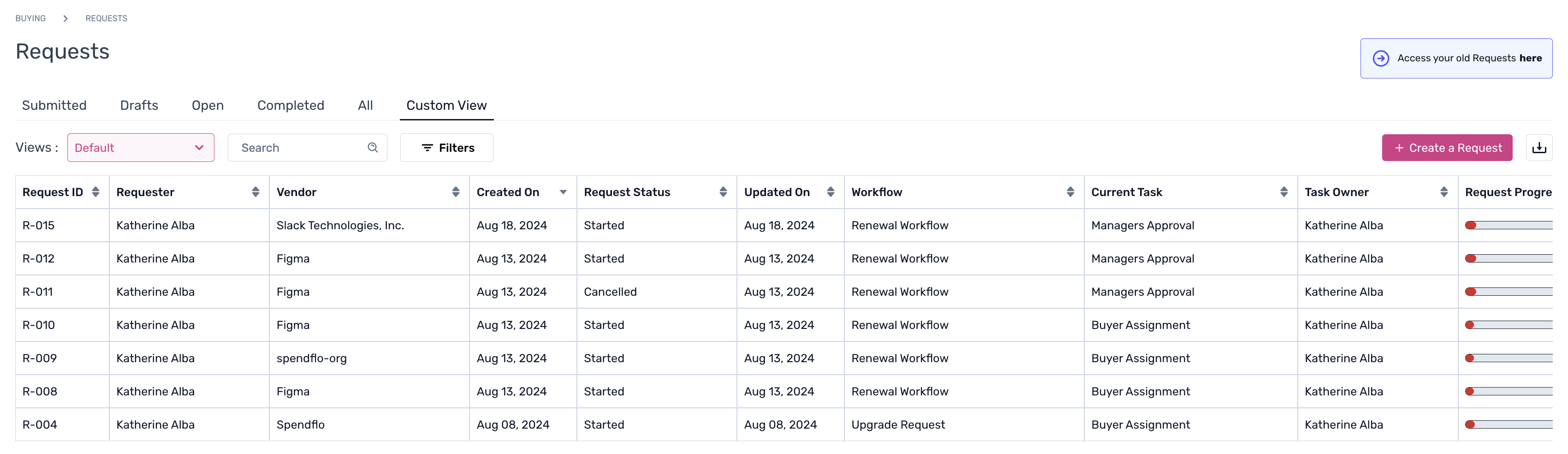
Step 2. Click ‘Views’ and ‘+ Create new private view’ to continue.

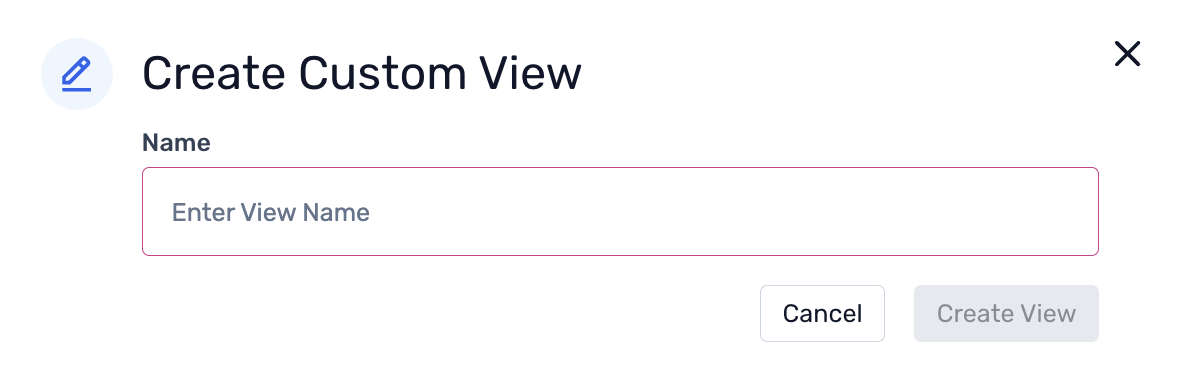
Step 3. Create the new custom view name from the pop-up, and click ‘Create view.’
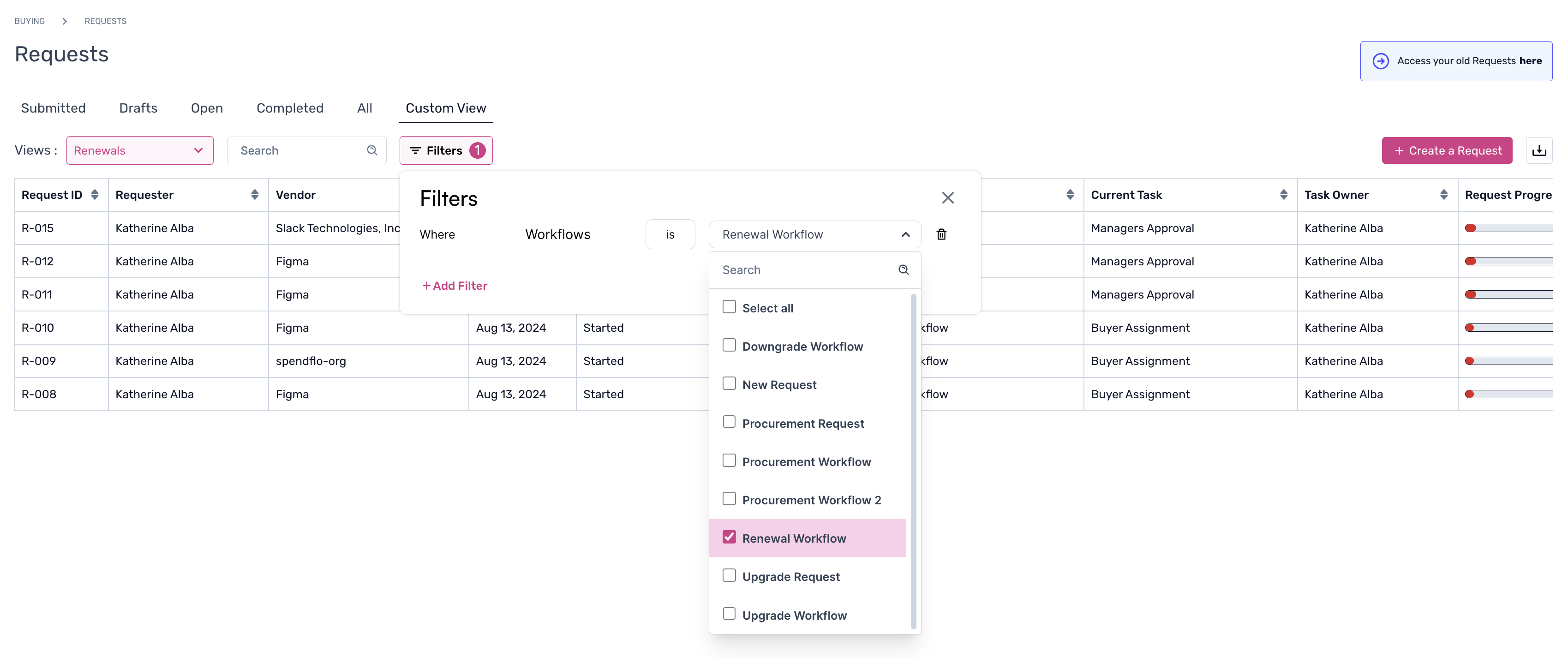
Step 4. To customize the view, add filters as required.
To learn more about request details, click here.