Changing assignee and task due date
Last updated: June 26, 2026
Overview
Within the request details page, task owners can easily assignees and due dates within the task configuration tab. Here’s how:
Changing assignees and task due dates
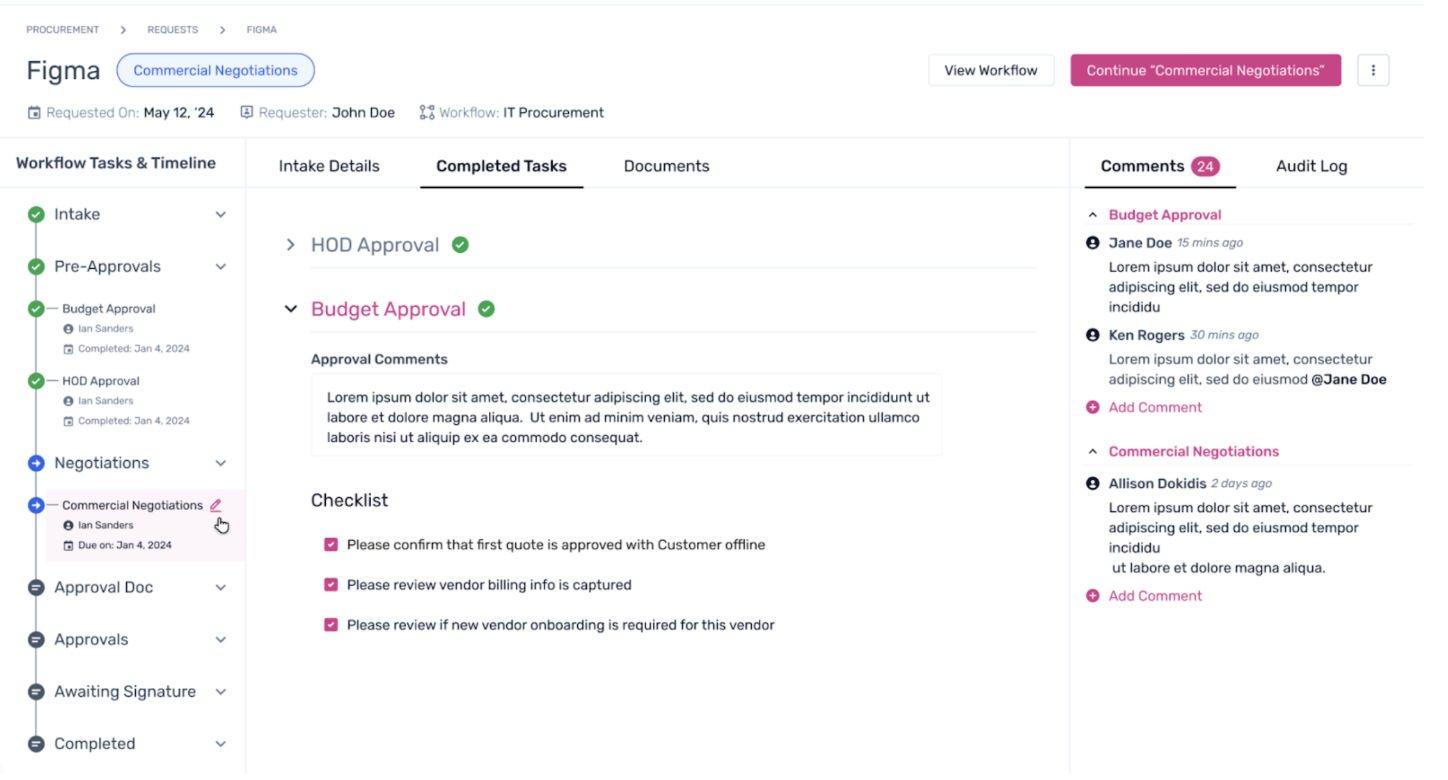
Step 1. Within the Request details page, select the task to be edited from the left pane and click on the edit icon beside it.
Step 2. The task owner's details and task due date can be changed from the pop-up. Enter the required details accordingly.
Note: The task owner can make the edits only after the assignment is done.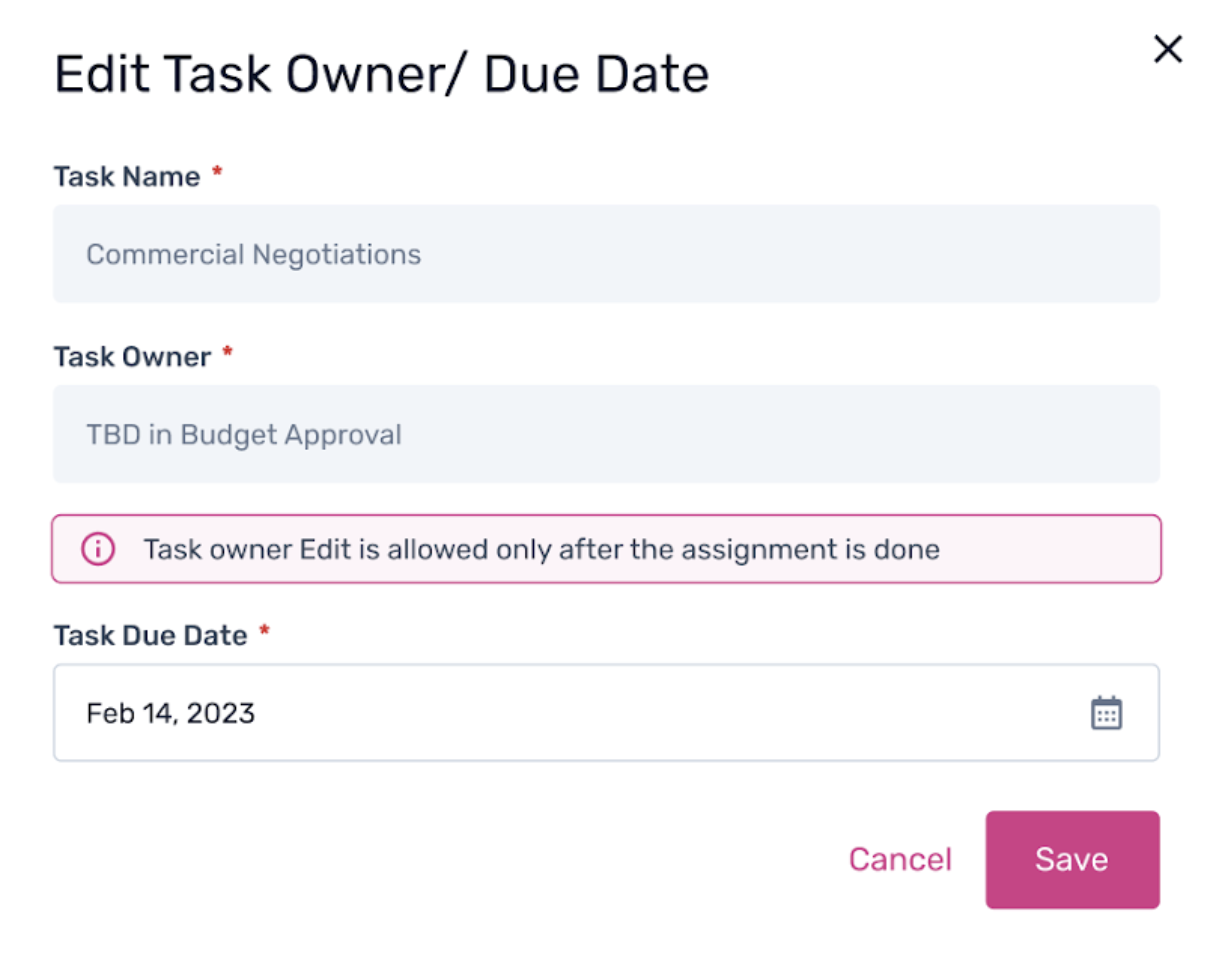
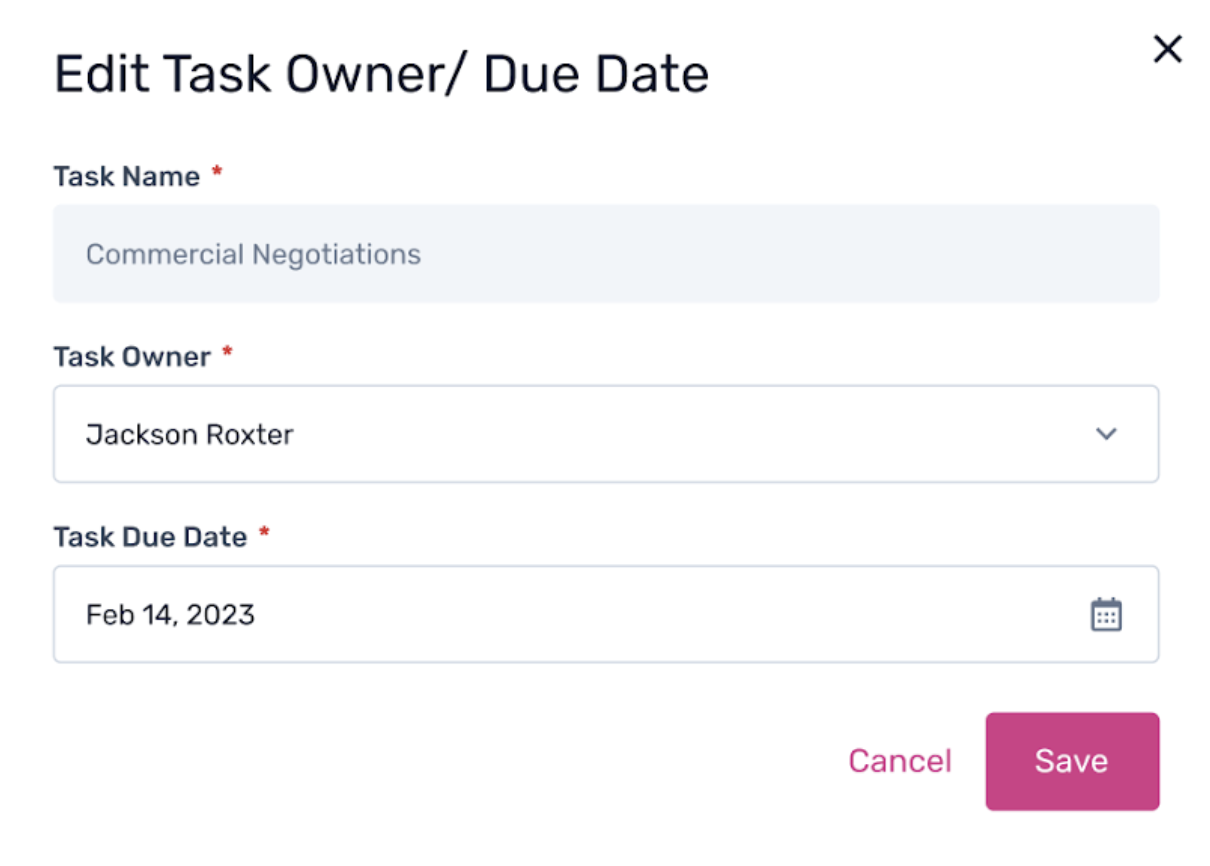
Step 3. Once the assignment is done, the task owner can enter the details and click ‘Save’ to make changes.
To learn more about the requester side of workflows, click here.