Creating a Renewal Request via Slack
Last updated: June 26, 2026
Overview
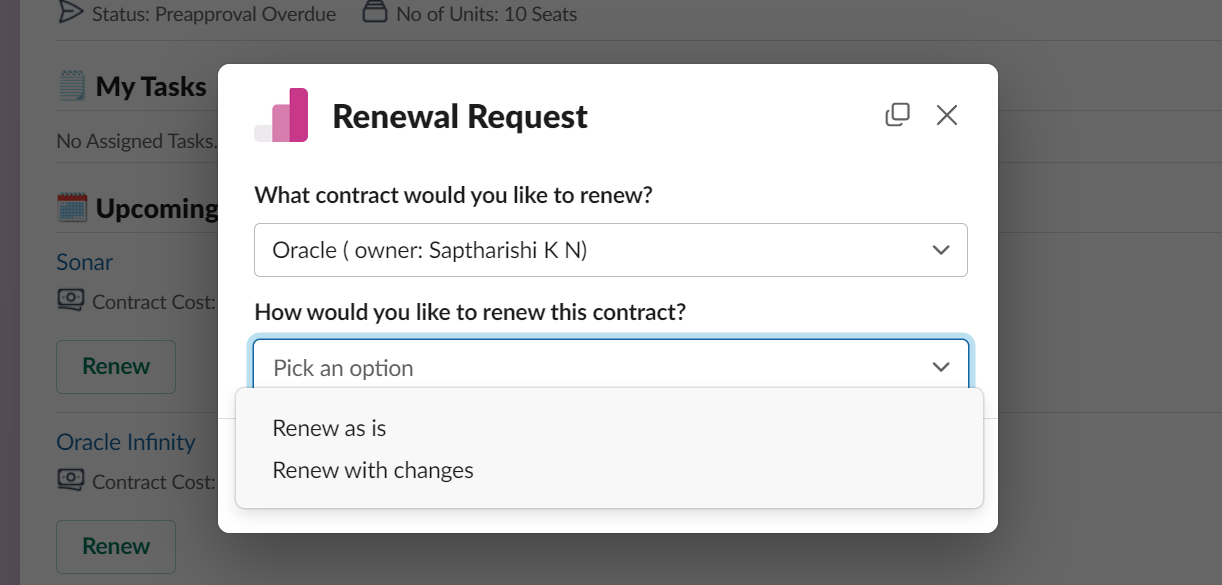
1. Go to home tab & select the contract you would like to renew from the Upcoming Renewals section

2. Choose if you want to renew the contract as is or with any changes (for eg. change in no. of licenses, plan, contract terms, etc.)
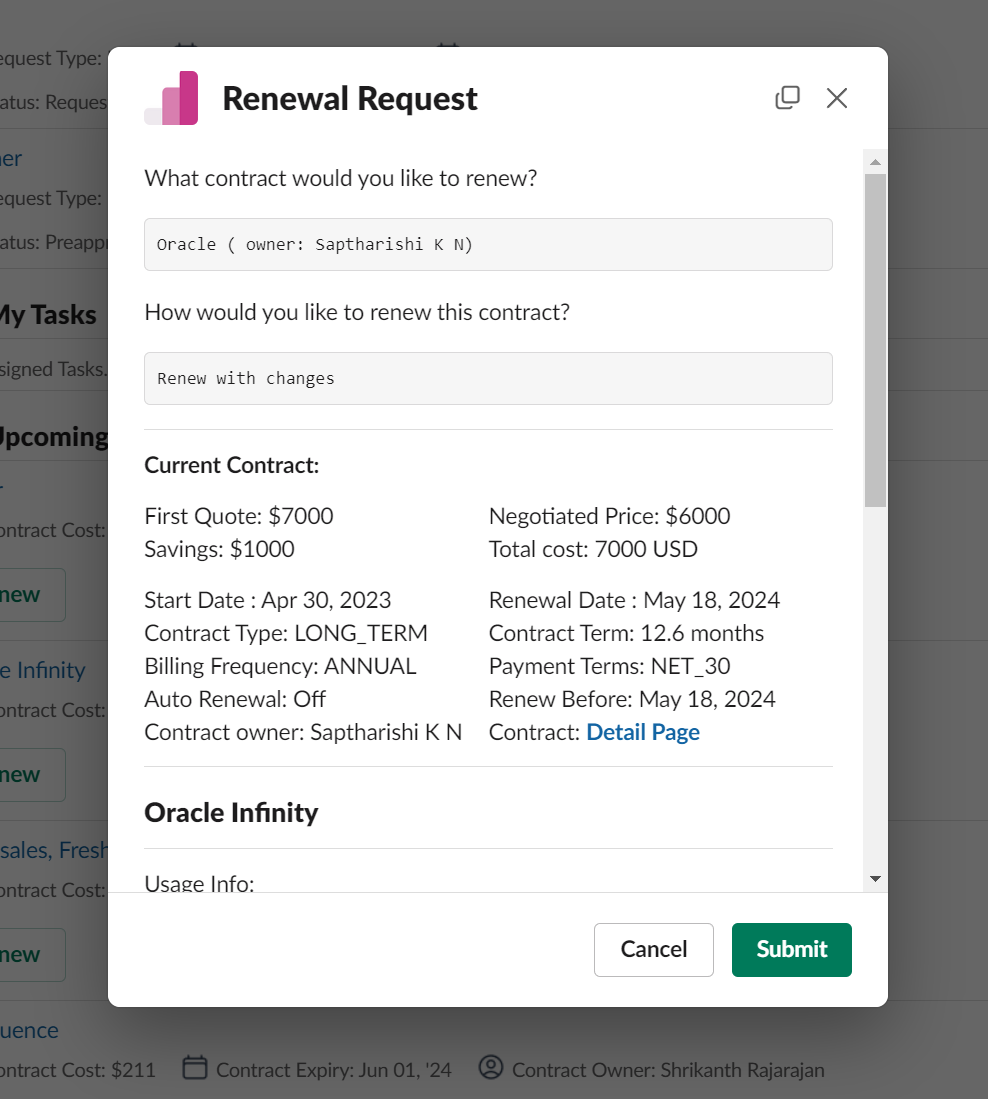
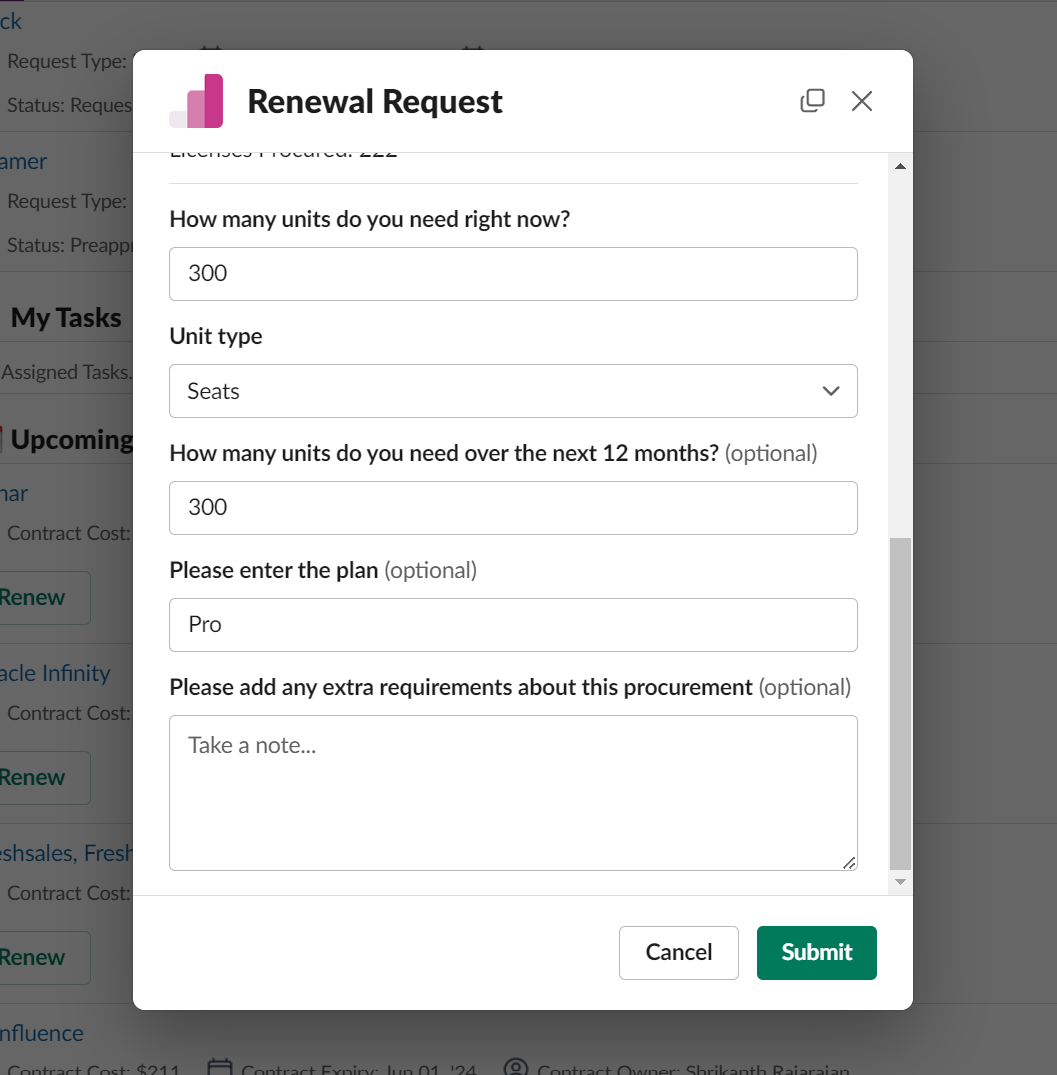
3. Review the existing contract details & fill the form with the updated details.
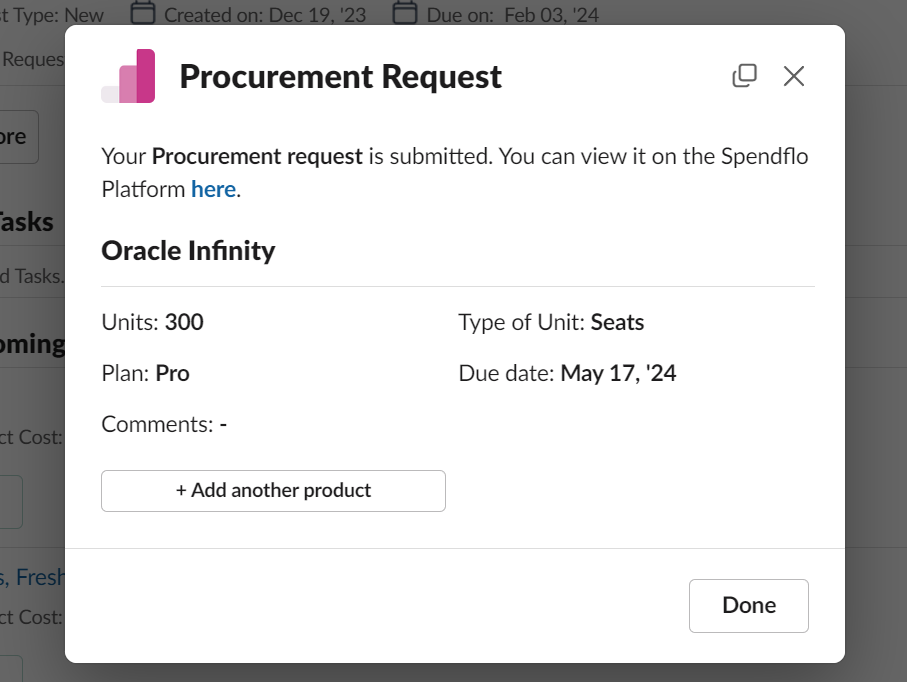
4. The renewal request is submitted.