How to delete a phase
Last updated: June 26, 2026
Overview
Phases within a workflow can be deleted as needed. Admins can follow these steps to delete phases:
Deleting phases
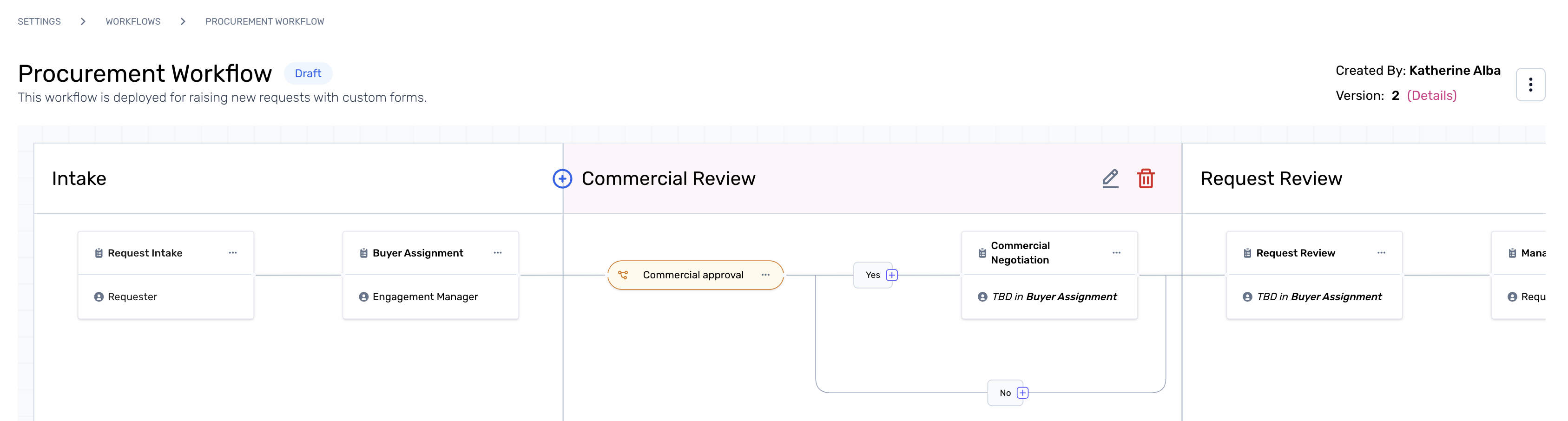
Step 1. Start from the active workflow studio and click the delete icon next to the phase name.
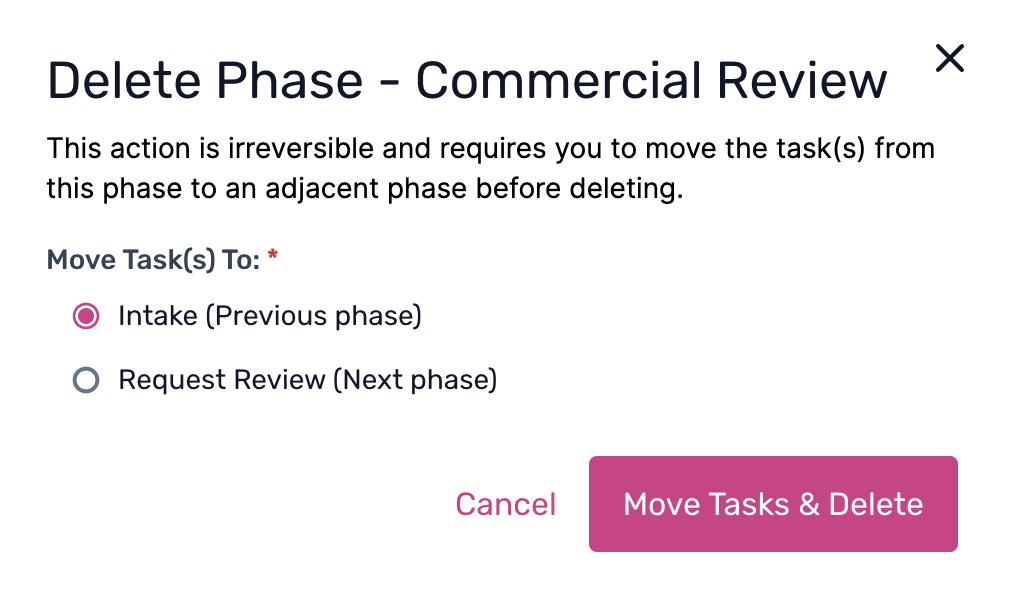
Step 2. From the pop-up, select the action to either move the tasks within the phases to the previous phase, or onto the next phase. Select the option from the radio button, and click on 'Move Tasks & Delete' to complete the process.
To learn more about workflow listing, click here.