Form fields and definitions - Standard Question Types
Last updated: June 26, 2026
Overview
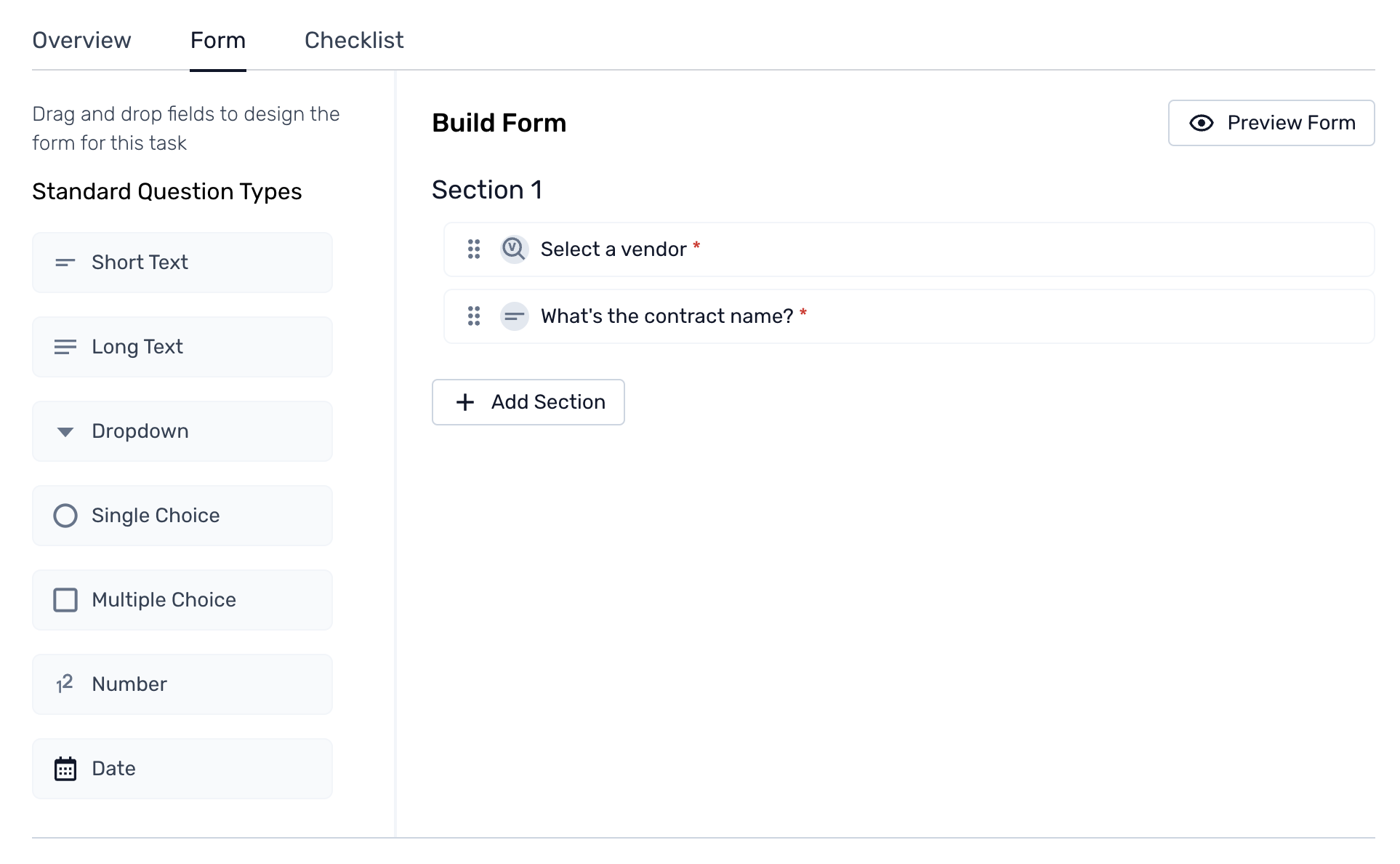
Within Spendflo’s platform, admins can leverage the custom form fields or standard question types to create forms tailored and customized to their needs. Admins can simply follow an easy drag-and-drop method, which can be leveraged to design the form for the selected task.

Learn more about the field components for standard question types from the following descriptions -
Field Type | Description |
 | This is a brief text input field typically used for short answers or single-line responses. It is suitable for capturing concise information and other brief descriptions. |
 | This is a more extended text input, allowing multiple lines or paragraphs. This field is ideal for capturing detailed information, comments, or extensive descriptions, such as approval task details or feedback. |
 | This field provides a list of predefined options from which the user can select one. This is useful for standardizing responses and creating consistency with the field response within the form. |
 | This field allows admins to select one option from a list of predefined choices. Similar to a dropdown but often presented as radio buttons, this field is used for precise, singular selections. |
 | This field allows admins to select multiple options from predefined choices. It is often presented as radio buttons, suitable for scenarios with more than one applicable answer. |
 | This numerical input is used to capture integer or decimal values. This field is ideal for quantities, amounts, ratings, or other numeric data. |
 | Admins can use this field to select a date from a calendar picker or enter a date manually. This ensures accurate data formatting when capturing deadlines or other significant dates. |
 | This field allows admins to upload files or documents. This field helps attach supplementary information, such as contracts, images, or reports, ensuring all relevant documents are easily accessible within the workflow. |
 | Admins can use this field to provide a specific currency value. By default, it has the following values available: USD, EUR, GBP, INR, and AED. |
 | Admins can leverage this field to choose the category of organization users to be shown as options, such as admin, approver, requester, or Spendflo buyers. |
Key Features and Benefits
The custom form, fields, and standard question types help with the following features and benefits:
Tailored data management - Admins can create custom forms to collect specific, tailored data relevant to the business's processes and needs. This ensures the accurate capture of all the necessary information.
In addition to data management, custom forms and fields offer data quality with components like validation rules and constraints to ensure data accuracy and completeness.
Enhanced security and compliance - Custom forms within workflows can be designed to ensure compliance with industry standards and regulations and capture necessary documentation and approvals.
Simplified data export - Admins can leverage custom forms to configure and streamline the data collection with pre-defined formats, allowing easy data export.
To learn more about building a custom form from scratch, click here.