Where do I view all requests?
Last updated: June 26, 2026
Overview
Within Spendflo’s workflow module, requesters can view all requests with various stages from one place. The columns that make up the requesters' table view are as follows:
Column Name | Description |
Vendor | The supplier or service provider that is associated with the request. |
Requester | The individual who initiated and owns the procurement request. |
Created On | The date of the request that was initially submitted. |
Updated On | The date the request was last modified or updated. |
Workflow | The specific workflow associated with the procurement request. |
Current Task | The task that is currently being performed within the workflow. |
Task Owner | The individual who is responsible for completing the task(s) within the said request/workflow. |
Request Progress | The overall status or completion percentage of the request. |
Note: The requesters view is also a studio view with a read-only permissions.Viewing all requests
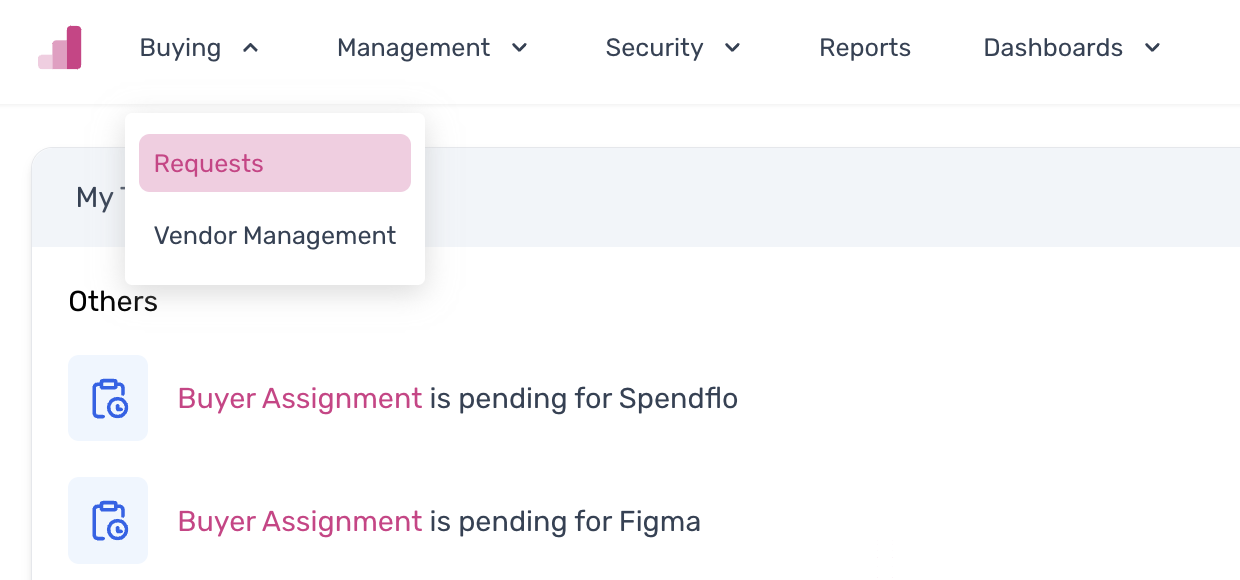
Step 1. Within the Spendflo platform, click 'Buying' on the navigation bar and click 'Requests.'
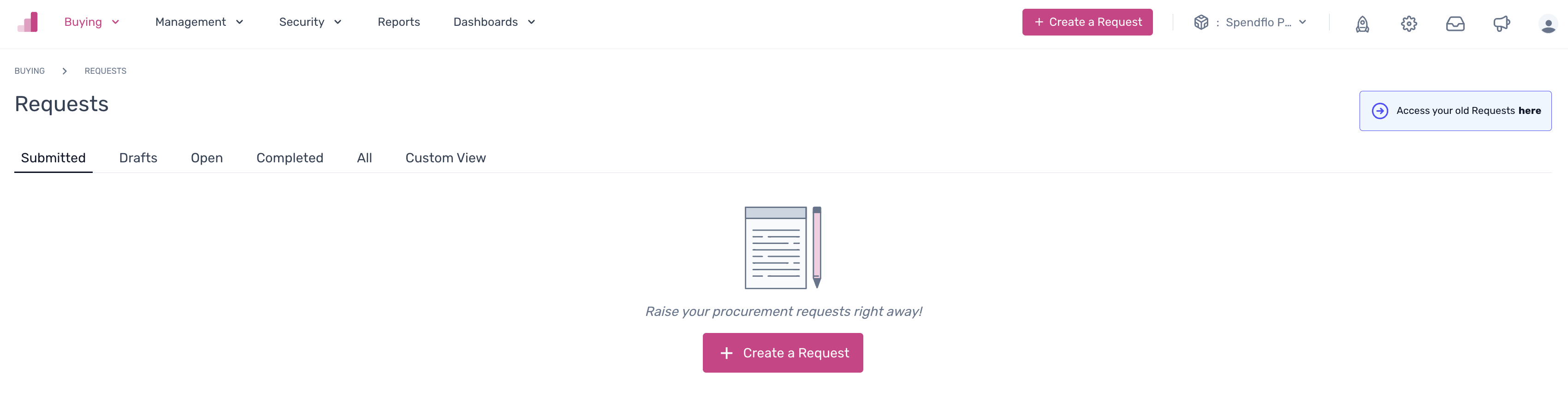
Step 2. Once on the requests page, the default view under the tab 'Submitted' will be presented to the requesters so they can create a new request.
Click here to learn more about request views.