Versioning, publishing, and deleting custom agents
Last updated: July 29, 2026
Overview
Custom agents use a draft/publish version model, so you can safely edit an agent's instructions without affecting anyone currently using it live.
Drafts and published versions
A new agent is created as an unpublished draft, v1.0. From the Build tab, you can:
Save Only — keeps your changes in the current draft. It isn't usable in workflows or Copilot yet.
Publish — makes this version live everywhere (workflows and Copilot) immediately, and increments the version (e.g. v1.0 → v1.1).
Once published, that version becomes read-only — you'll see a banner confirming this. To make further changes, click Edit As New Draft, which opens a new draft on top of the published version. A new draft can only be created from a published version, and only one draft can exist at a time. Editing the draft never affects the live, published version until you publish the draft.

Version History
Open the … menu on an agent to see its Version History: every version, its state (active/inactive), and who published it. You can publish a draft directly from this panel.
Deleting an agent
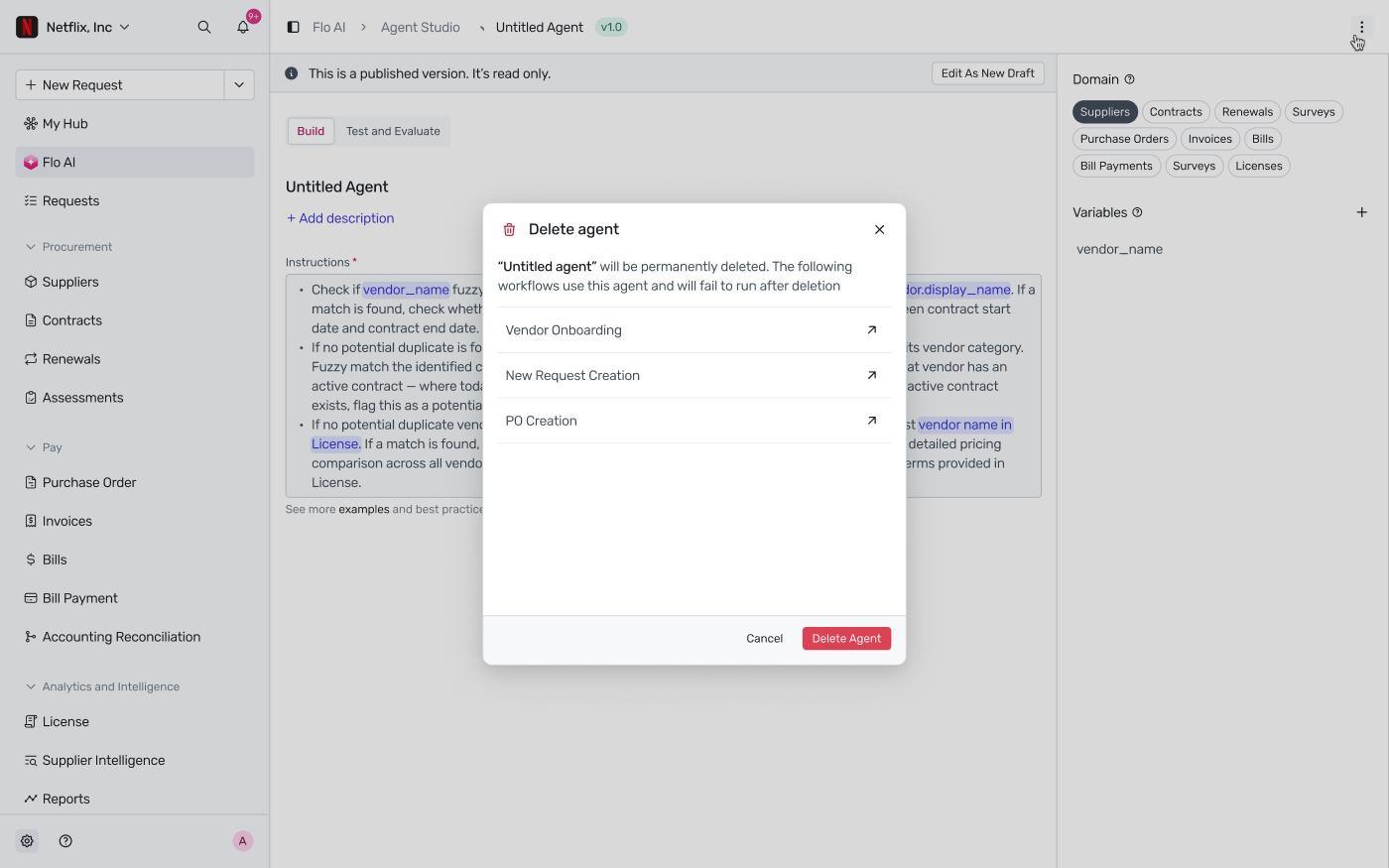
Deleting an agent is permanent. Before you confirm, Spendflo shows you every workflow currently using that agent — those workflows will fail to run once the agent is deleted, so check the list before deleting.