Viewing and acting on an AI Agent task on a request
Last updated: July 29, 2026
Overview
When a workflow includes a Flo Agent step, you can see and act on it directly from the request detail page. If you haven't added a Flo Agent step to a workflow yet, see Adding a Flo Agent step to a workflow.
Finding the agent step
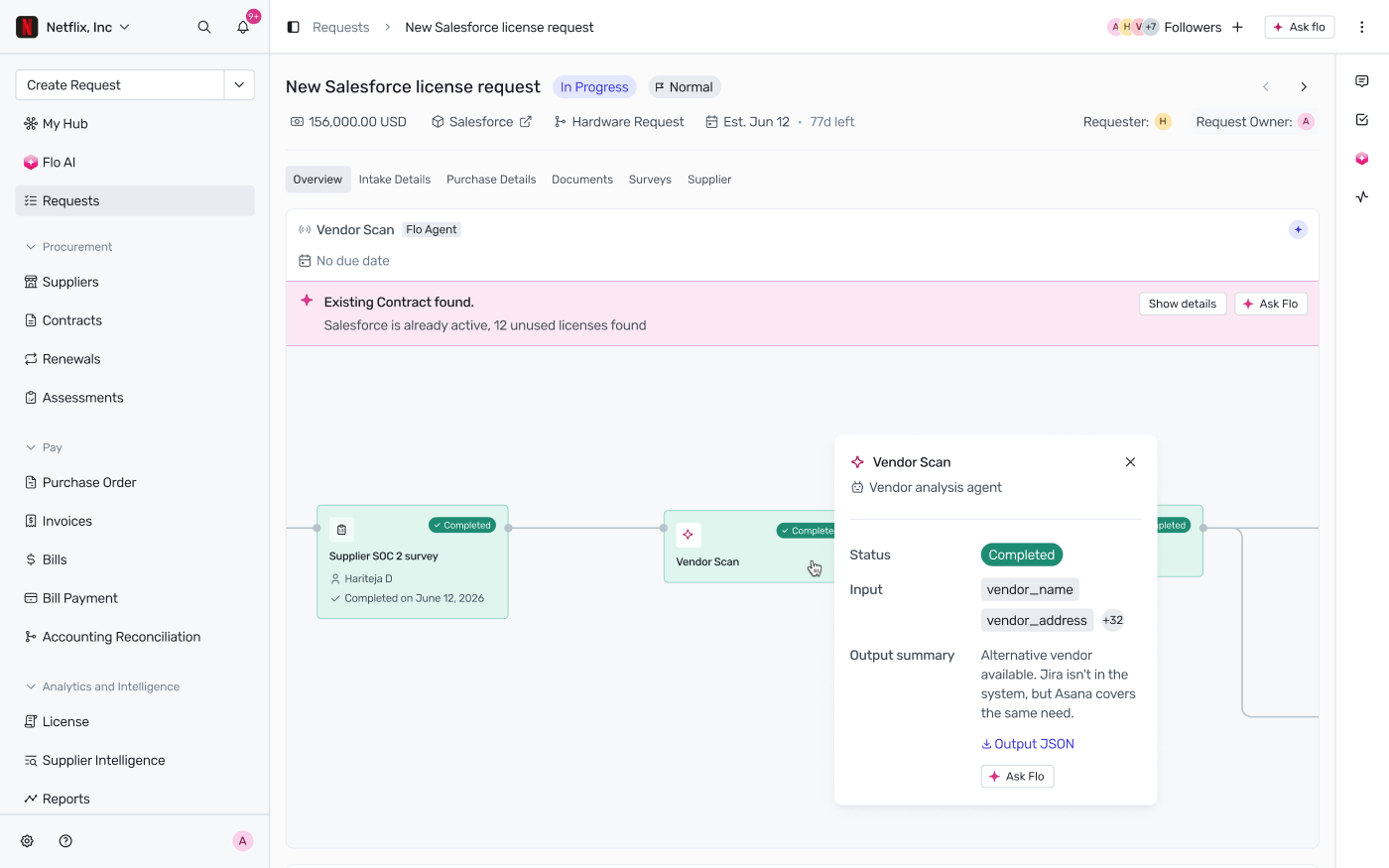
Flo Agent steps appear as nodes in the request's workflow diagram, alongside your other workflow steps. Click a node to open its detail card.
What the detail card shows
Status — in progress, completed, or failed
Input — the input variables the step ran with
Output summary — the agent's output; click View all fields to see every output variable, or Download Output JSON for the raw output
Ask Flo — opens the FloAI sidebar with this step's run history already loaded, so you can ask follow-up questions about the result
If the agent's output flags something worth your attention (e.g. a potential duplicate vendor, or an existing contract), it's also surfaced as a summary callout near the top of the request, with its own Show details and Ask Flo shortcuts.
Approving a step
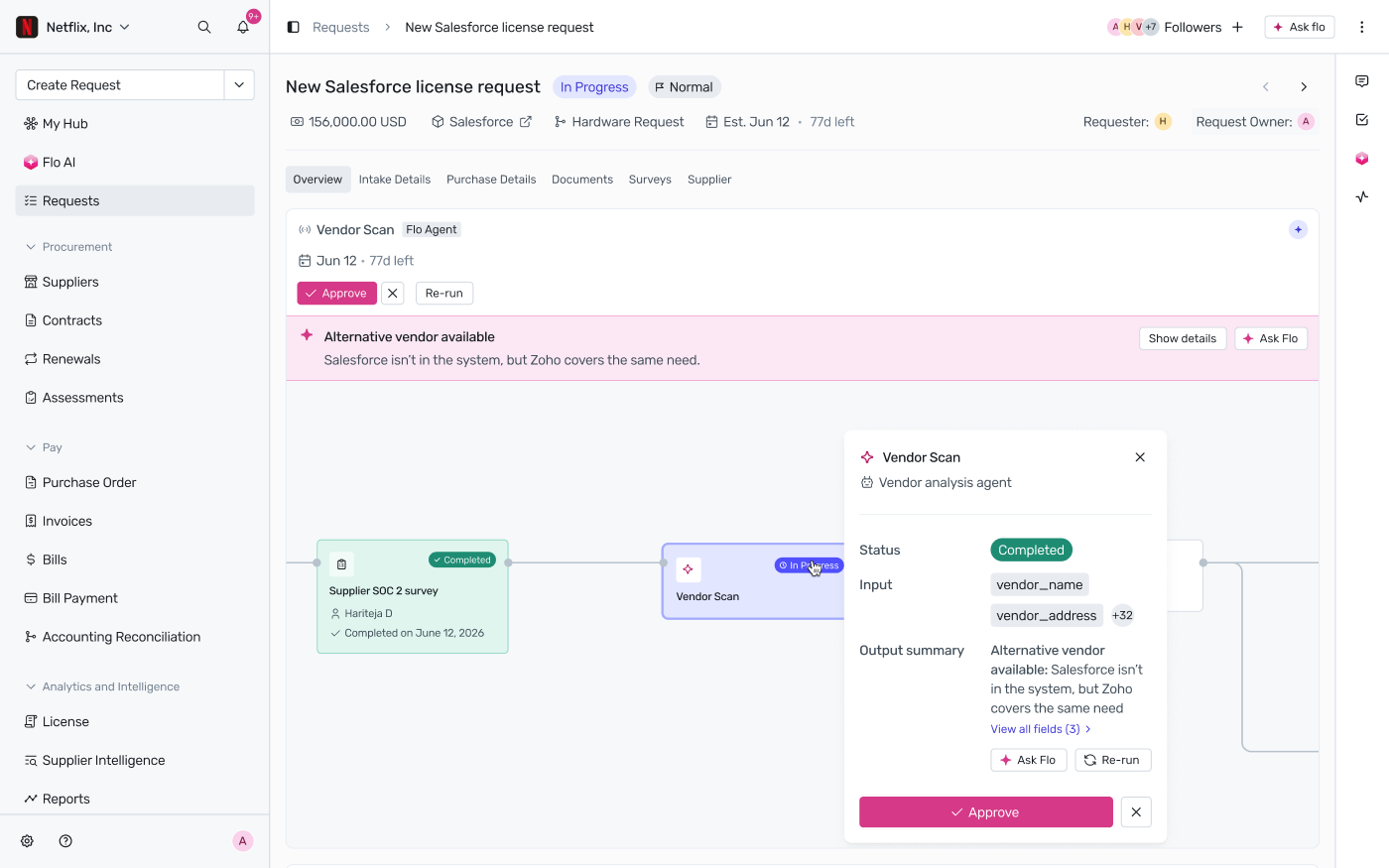
If the workflow step is configured to block on approval, Approve and Re-run buttons appear once the agent has completed. Only users with approval permission (set when the step was configured) can approve. Approving advances the workflow to the next step.
Re-running a step
Users with execution permission can re-run a step that has failed, or that has completed and is still awaiting approval. Re-run is not available once a step has been approved (the workflow has already advanced) or while it's currently running.
Clicking Re-run opens Review variable mapping, where you can check and update every input value before the agent runs again — including replacing an uploaded file:

Required inputs are validated before you can re-run — for example, a missing file upload shows an error until you provide one:

If you don't change anything, the step re-runs with the same inputs as before. Either way, the attempt is recorded as a new entry in the step's run history.