Managing your Context Library
Last updated: July 29, 2026
Overview
The Context Library holds reusable knowledge — like policy documents or reference notes — that any of your agents can pull into their instructions with @contextLibrary. A single context item can be referenced by more than one agent.
Where to find it
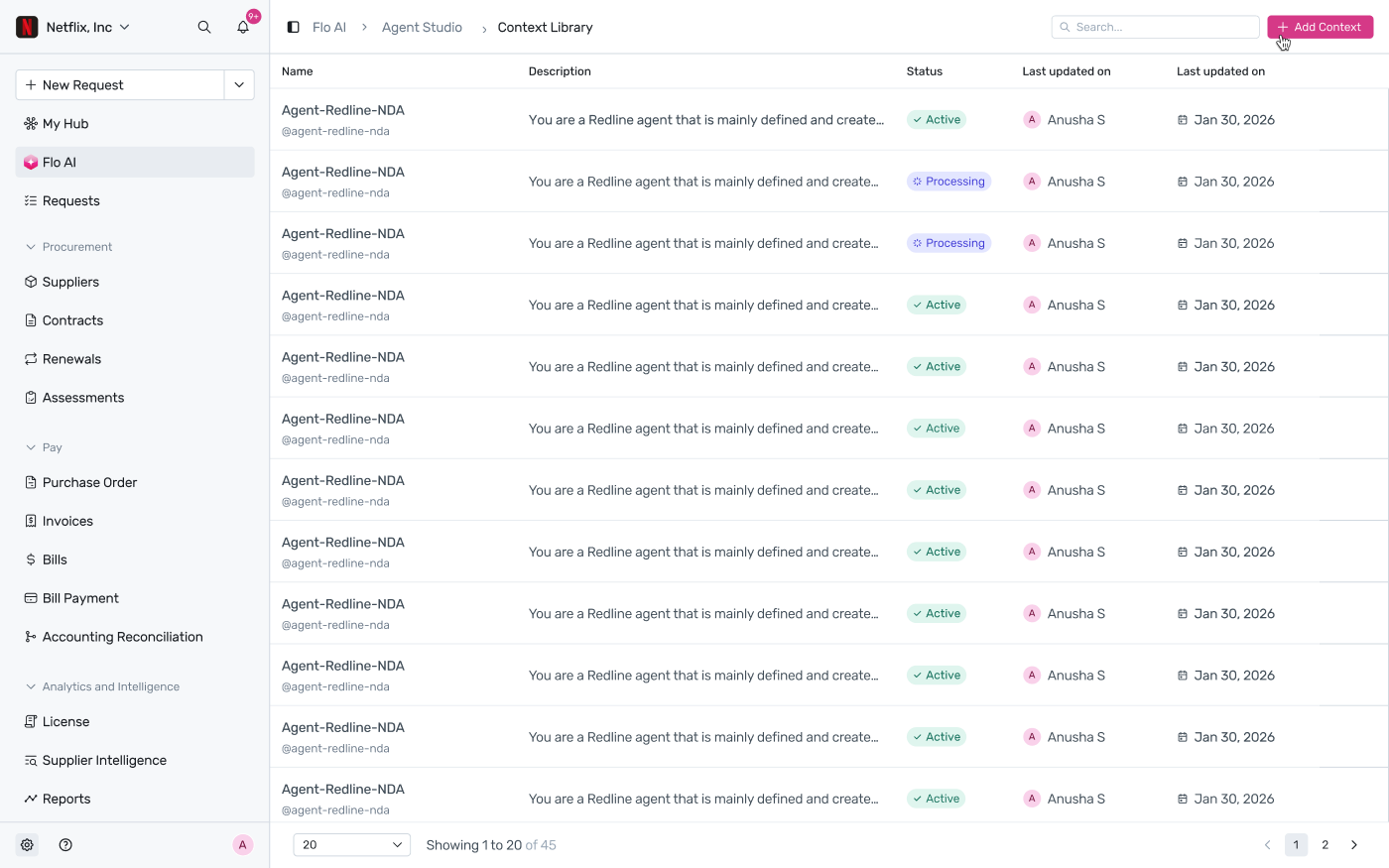
Go to Flo AI → Agent Studio → Context Library. The list shows every context item's name, description, status, and when it was last updated.
Adding context
Click + Add Context, give it a name and description, and upload the document(s) you want agents to be able to reference. Once added, it's addressable in any agent's instructions as @<context-name>.
Viewing or editing a context item
Click any row to open its details in a side panel — name, description, status, how it's referenced (its @ handle), and the documents filed under it (its “Knowledge”). Use the arrows at the top of the panel to move to the next or previous item without going back to the list.
Deleting context
If a context item isn't used by any agent, deleting it just asks you to confirm.
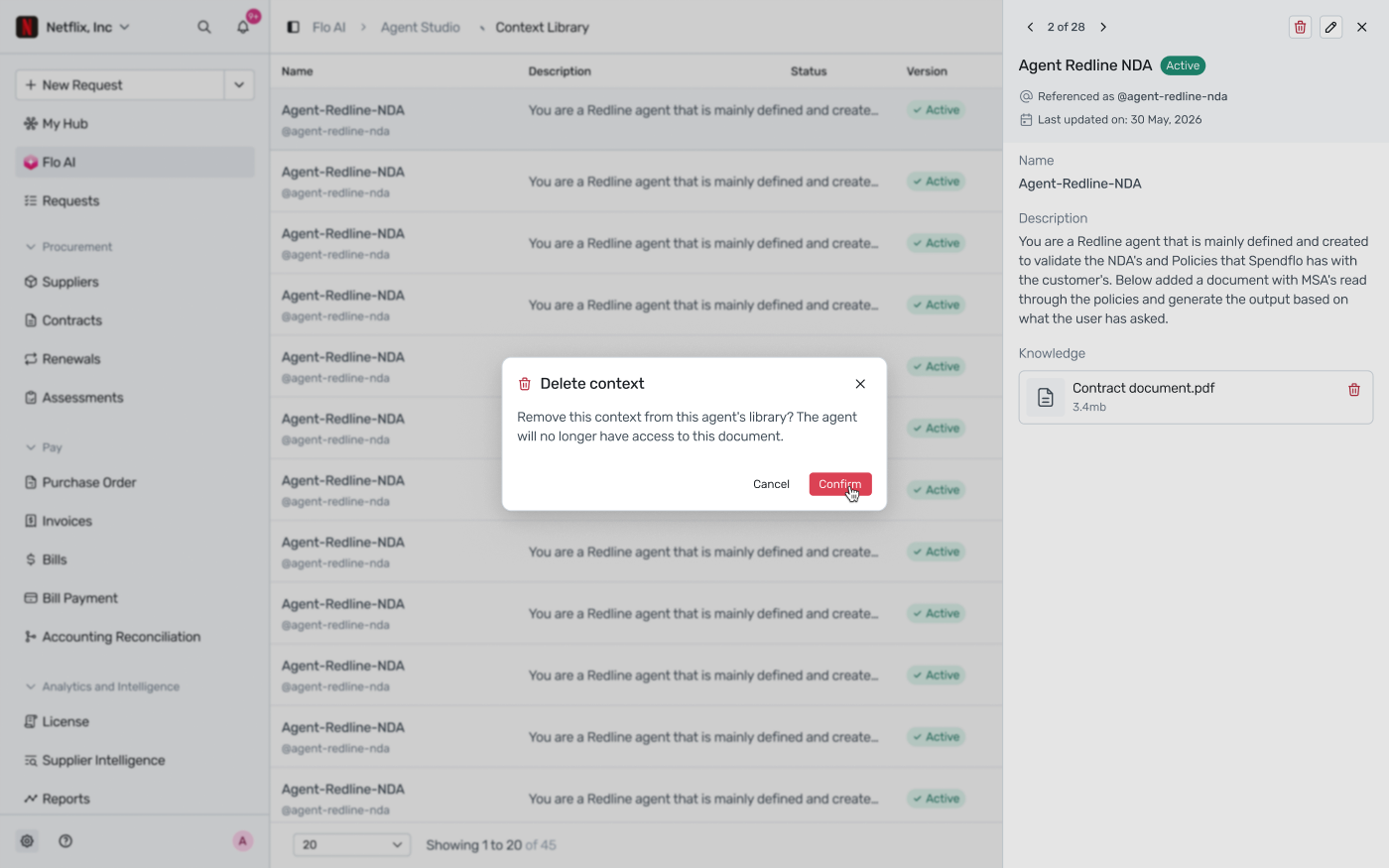
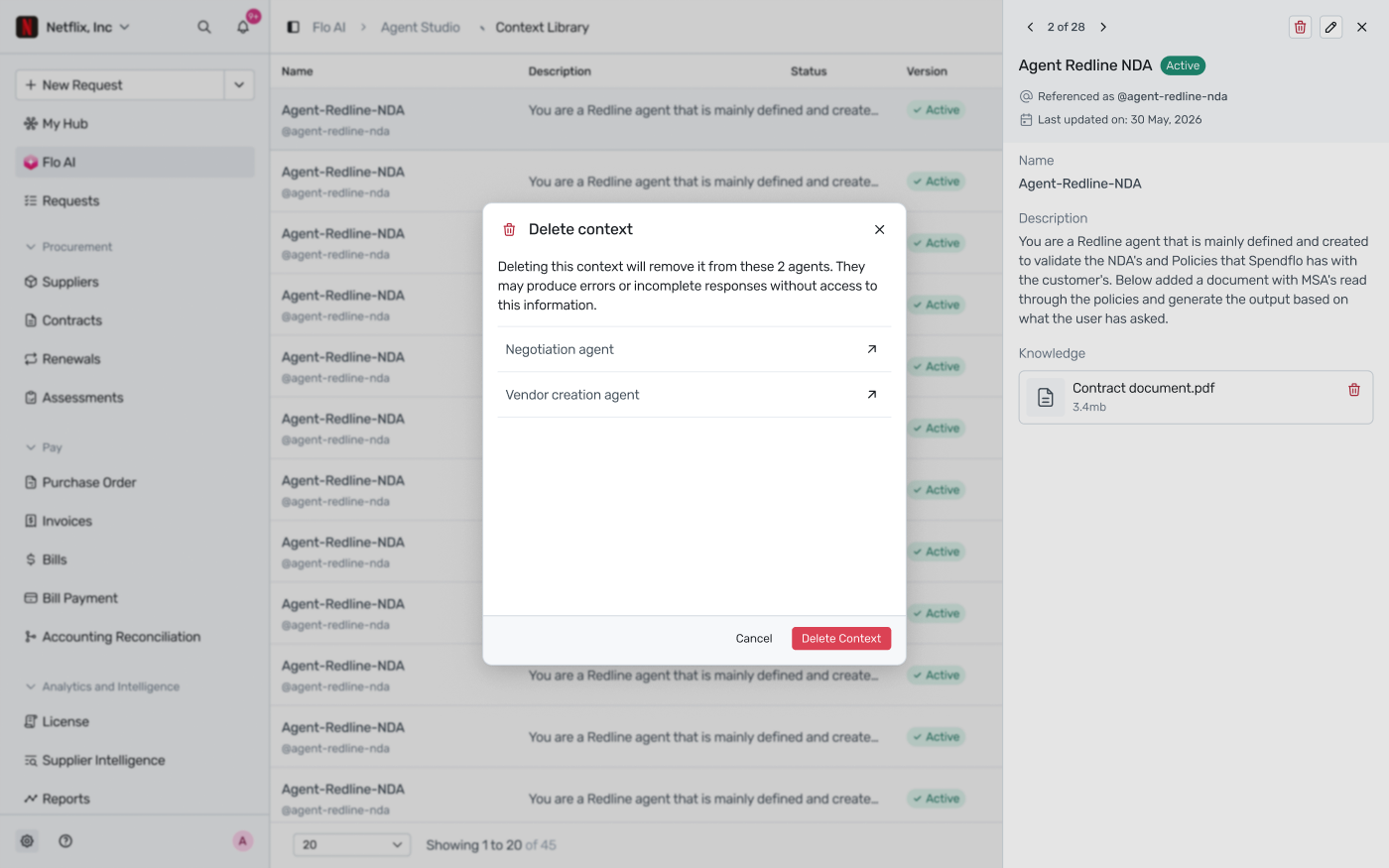
If it's referenced by one or more agents, Spendflo lists exactly which agents will lose access before you confirm — those agents may produce errors or incomplete responses without it.
For how to reference a context item from an agent's instructions, see Writing agent instructions: @ mentions and formatting.