Roles and Data Access Scope: How They Work Together
Last updated: September 10, 2026
Overview
Every user's access in Spendflo is really the answer to two separate questions:
What can I do? — decided by your Role.
Which records can I see? — decided by your Data Access Scope.
They're independent settings that combine to form your actual, effective access. This article explains what each one controls and why you need both to understand what a user can really do.
Role: what you can do
Your Role (e.g. Administrator, CFO, Procurement Executive) decides which modules you can touch, and how much you can do on each one. For every module — Requests, Vendors, Renewals, Invoices, Reports, and so on — a role is set to one of three levels:
Level | What it means |
|---|---|
No Access | The module doesn't show up for you at all |
View | Read-only — you can see records but not change them |
Manage | Read + write — create, edit, and take actions like approve, reject, or complete |
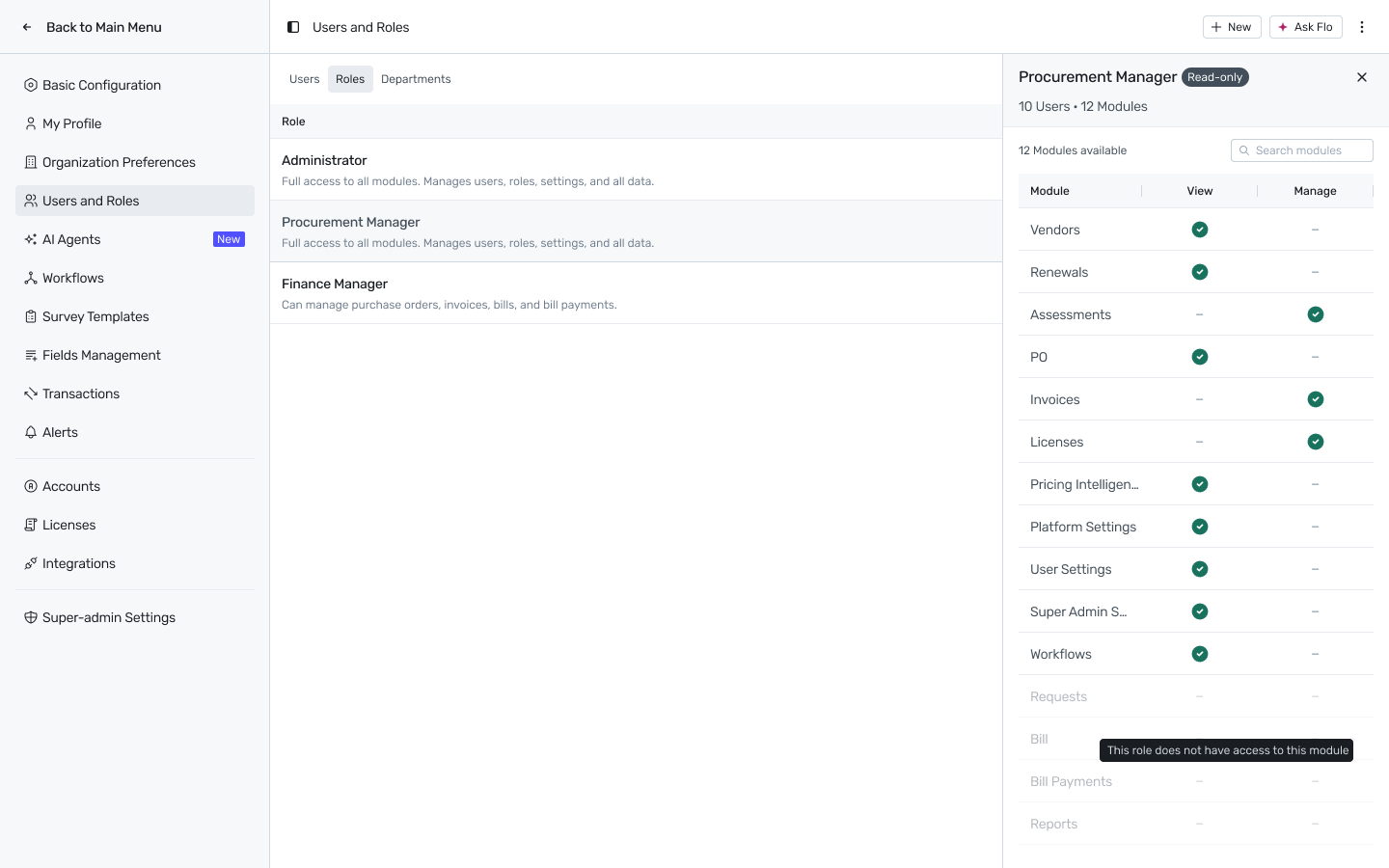
For example, a Procurement Executive has Manage on Requests — they can create and edit requests. A Legal user has only View on Vendors — they can look but not change anything. Every user has exactly one role, and every role is configured this way, one access level per module.
Scope: which records you can see
Your Data Access Scope decides which specific records your role's access applies to. It's set separately from the role, as one of three levels:
Scope | What you see |
|---|---|
Own | Only records you created or are explicitly assigned to |
Department & Subsidiary | Records that match your assigned department and your selected subsidiaries |
All | Every record in the organization |
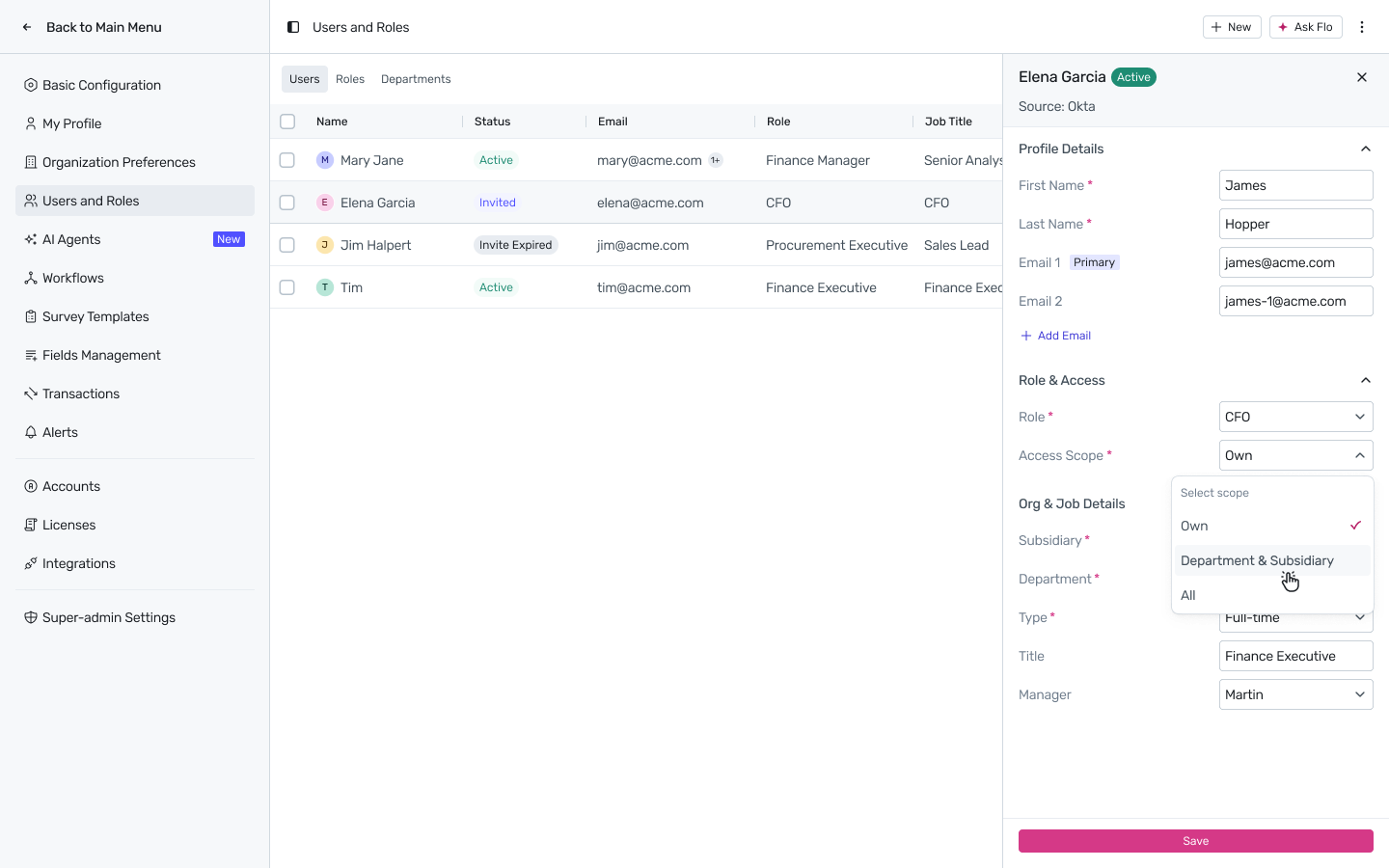
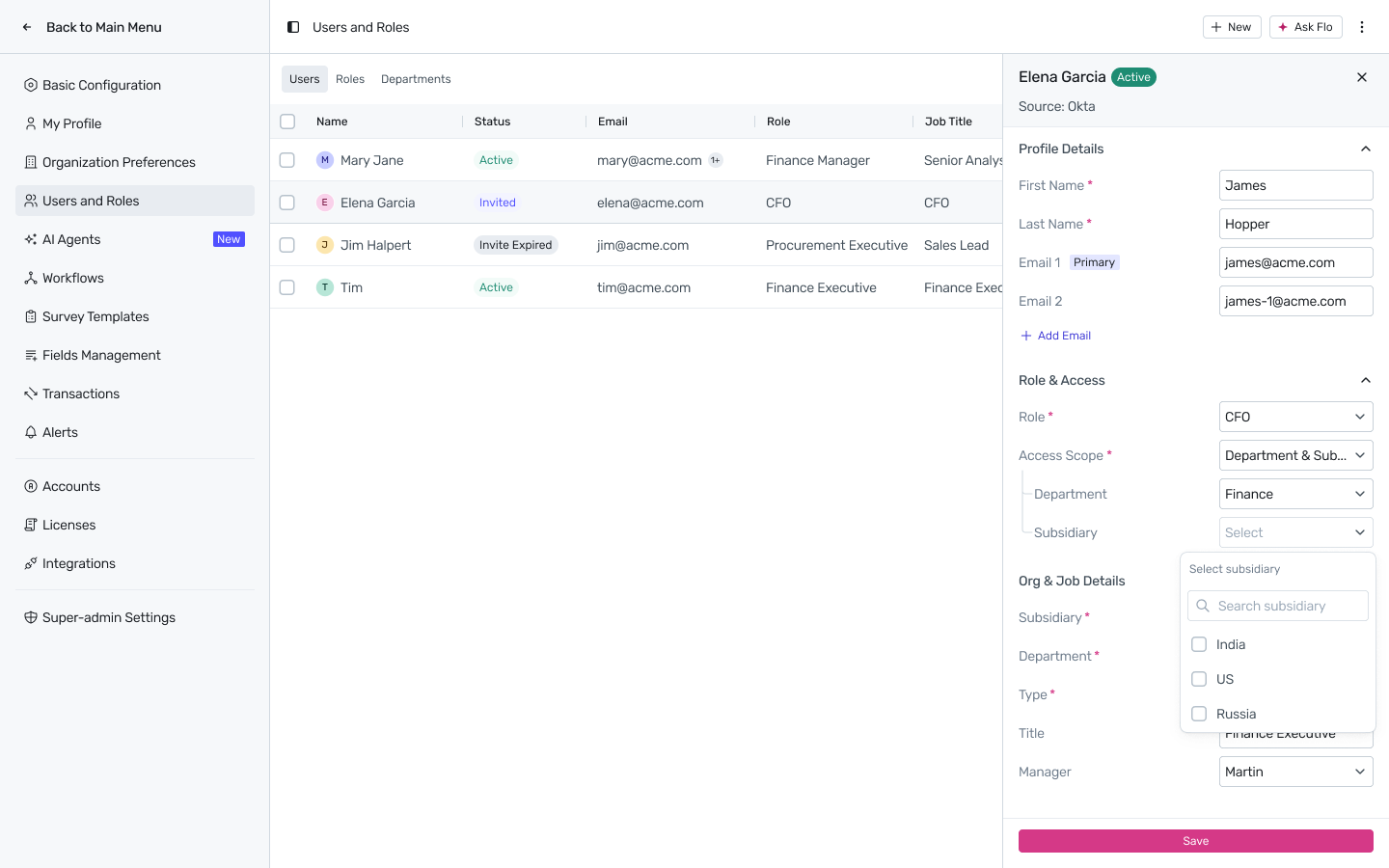
Choosing Department & Subsidiary reveals two sub-fields so you can pick exactly which department and which subsidiaries apply — both narrow your view together, not independently.
Why you need both
Role and Scope answer different questions, and neither one makes sense on its own:
A role with Manage Requests but Own scope can create and edit requests — but only their own. They can't touch anyone else's, even though their role says they can “manage” requests.
A role with only View on Bills but All scope can see every bill in the company — but can't edit a single one.
Two people can have the exact same role and still see completely different data, because their scope is different. And two people with the same scope can still do very different things, because their role is different. You need both settings to know what a user can actually do.
Role | Access Level | Scope | What this person can actually do |
|---|---|---|---|
Procurement Executive | Manage Requests | Own | Create and edit only the requests they raised themselves |
Finance Manager | View Bills | Department & Subsidiary | See every bill tied to their department and subsidiaries, but can't edit any of them |
Spend Owner | Manage Requests | Department & Subsidiary | Approve and close requests within their department and subsidiaries |
CFO | View (most modules) | All | Read-only visibility across the entire organization |
Administrator | Manage (everything) | All | Full edit access across the entire organization |
A quick way to think about it
If you can't do something you think you should be able to, ask two separate questions:
Is it a Role problem? Does your role even have View or Manage on that module? If it says No Access, that's why the module doesn't show up at all.
Is it a Scope problem? Does your role give you access to that module, but the specific record you're looking for falls outside your Own / Department & Subsidiary / All boundary?
A colleague with the exact same role as you but different visibility almost always comes down to a difference in scope, not role.
Related Docs
Roles in Spendflo: Who Can Do What — the full list of pre-defined roles, the complete permission matrix, and how to create a custom role
Managing Users — setting a role and scope on a specific user, at invite time or later