Writing agent instructions: @ mentions and formatting
Last updated: July 29, 2026
Overview
An agent's Instructions field is where you tell it, in plain language, what to do. Instead of wiring up dropdowns and field mappings, you write a normal set of instructions and pull in exactly the data you need inline using @.
The @ picker
Type @ anywhere in your instructions to open the picker. It has three categories:
Variables — the agent's own placeholder variables (defined in the Variables panel). If the agent runs inside a workflow, these are filled in automatically from that step's data.
Entity — live Spendflo platform data (vendors, contracts, invoices, and so on), scoped to whatever entities you've enabled under Domain.
Context Library — documents and reference material uploaded to your Context Library.
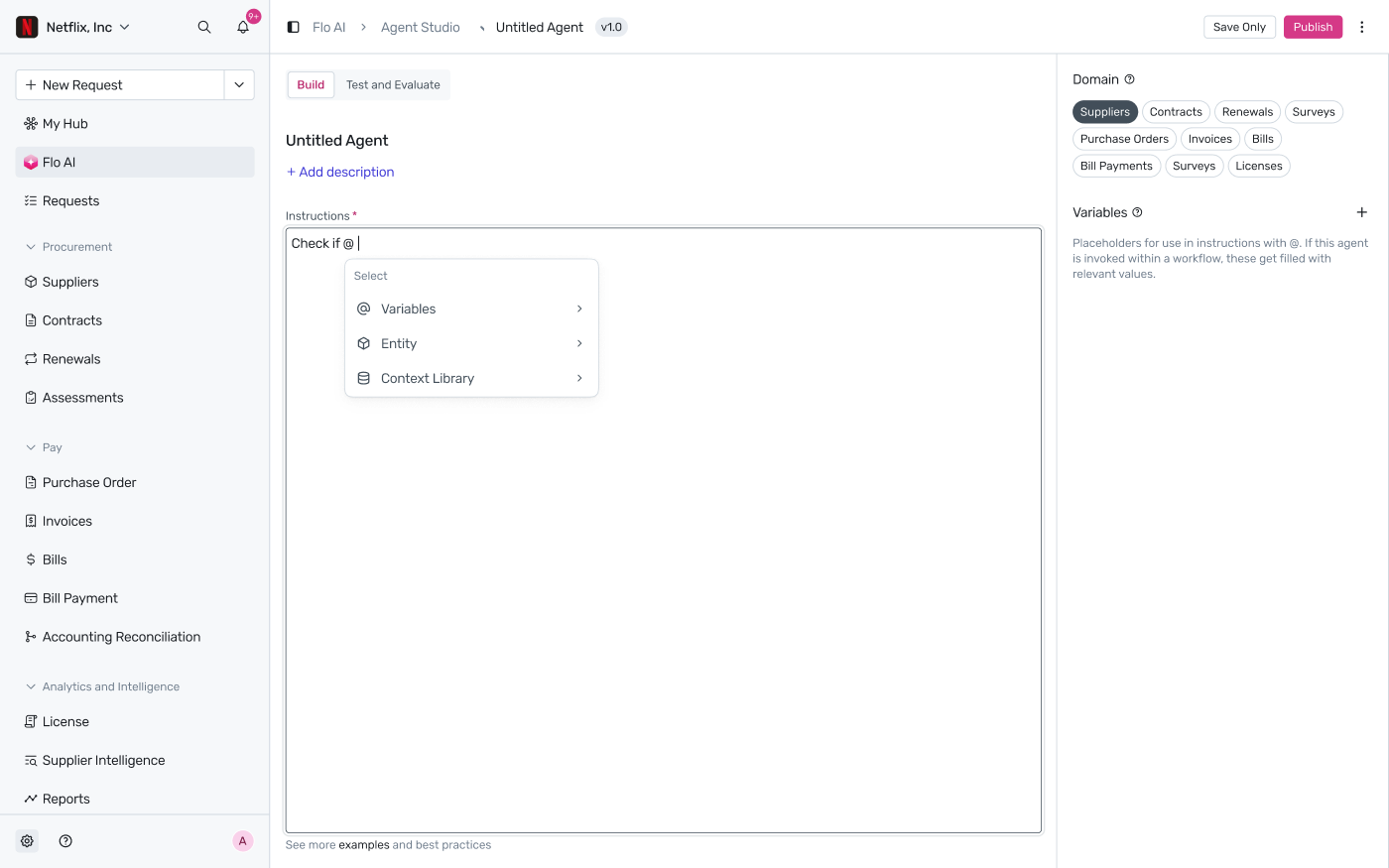
Searching as you type
Keep typing after @ to search across all three categories at once. Results are grouped by category with a count for each, e.g. “Search results (6)” broken into Variable (4), Entity (1), Context Library (1).

Drilling into an entity
Selecting Entity (or an entity result) drills into that entity's individual fields, referenced with dot notation — for example vendor.legal_name, vendor.full_name, vendor.website. Each field shows which entity it belongs to.
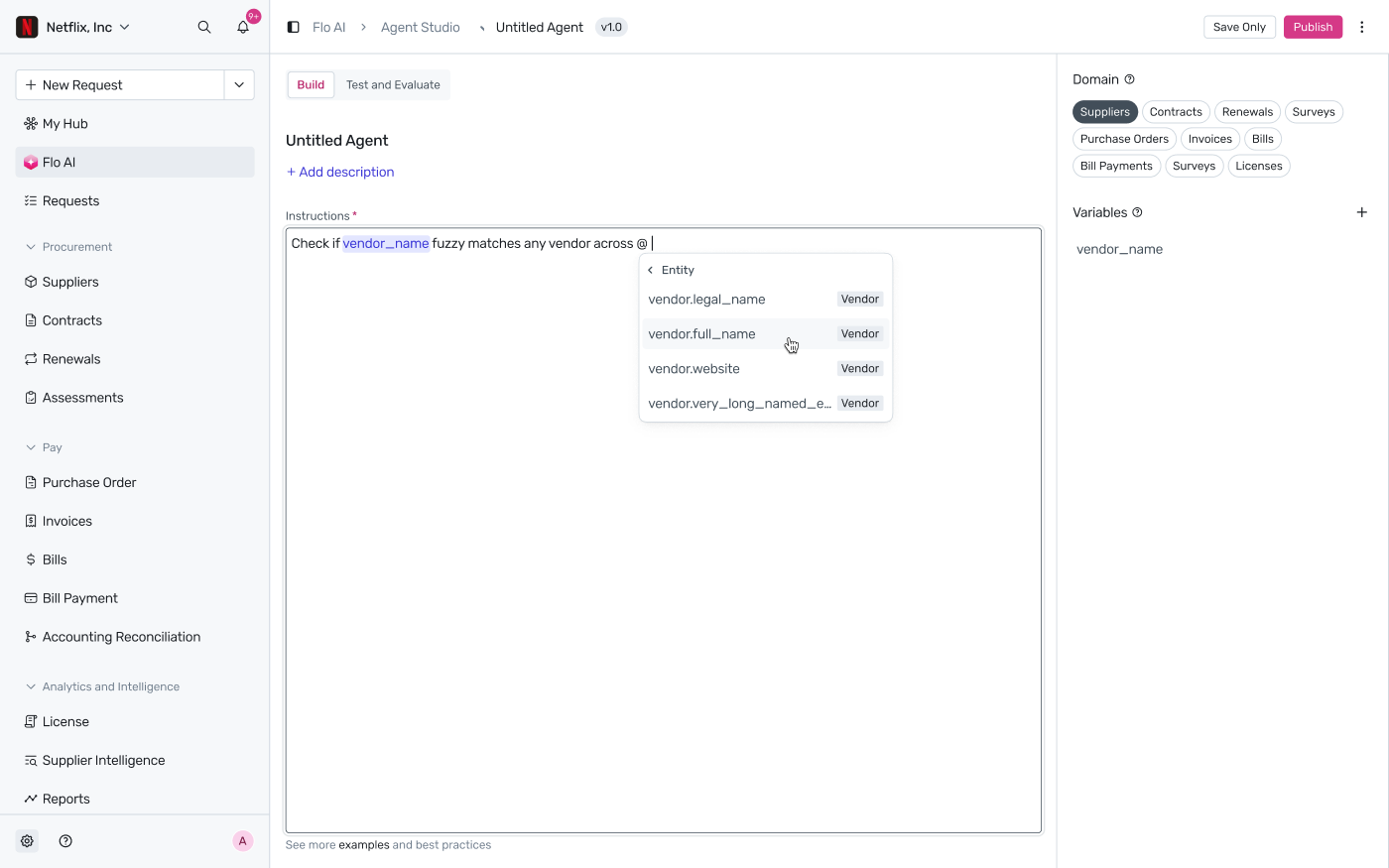
Only entities you've enabled under Domain on the agent's Build tab will appear here — see How to build and configure an agent in Flo AI? for where to set that.
Formatting your instructions
The Instructions field supports basic formatting — including numbered and bulleted lists — so multi-step instructions stay easy to read. @ mentions render as highlighted inline tokens wherever they appear, including inside list items.

Note: Only one thing can be mapped to a given name at a time — if a variable and an entity field share a name, the picker shows both separately so you can tell them apart before inserting.
For the full list of entities and fields available under Entity, see Reference: what data your agent can access. For the special @instance variable available inside workflow-invoked agents, see Using the built-in @instance variable.