User Identity & Email Management
Last updated: September 10, 2026
Overview
Email addresses in Spendflo are used only for login and outbound communication — they don't define a user's identity. That means a user's email can change without breaking the continuity of their record, their history, or their permissions.
This article covers email identity rules, bulk email updates via CSV, and the email domain migration flow. For invite/edit/archive flows, see Managing Users.
Managing a user's email addresses
Open a user's Edit panel to change their email address, under Profile Details.
Each user has exactly one email address today. Support for multiple addresses per user — adding a second email, marking one as primary, and deactivating individual addresses — is planned for a future release; for now, updating a user's email replaces their existing address.
An email address must be unique across the entire system — whether it currently belongs to an active or an archived user.
Re-hire detection
If an admin tries to invite or add a user with an email that already exists elsewhere in the system:
If that email is active on another user — the invite is hard-blocked with an error.
If that email is inactive on an archived user — Spendflo prompts: “This email is linked to a deactivated user [Name]. Would you like to reactivate them instead?” This routes the admin into the re-hire flow instead of creating a silent duplicate. See Managing Users for what carries over on re-hire.
Email domain migration
When a company rebrands or changes its email domain (e.g. after an acquisition), use Update Email Domain to move every matching user over in one action, rather than editing users one at a time.
From Settings → Users and Roles, open Update Email Domain.
Select the Current domain and enter the New domain. Spendflo shows how many users will be affected, e.g. “245 users will be transferred to the new domain.”
Click Start migration. Copy: “Email domains update automatically for matching users. Others appear in a reconciliation list for you to review and merge manually. The change can be reversed at any time.”
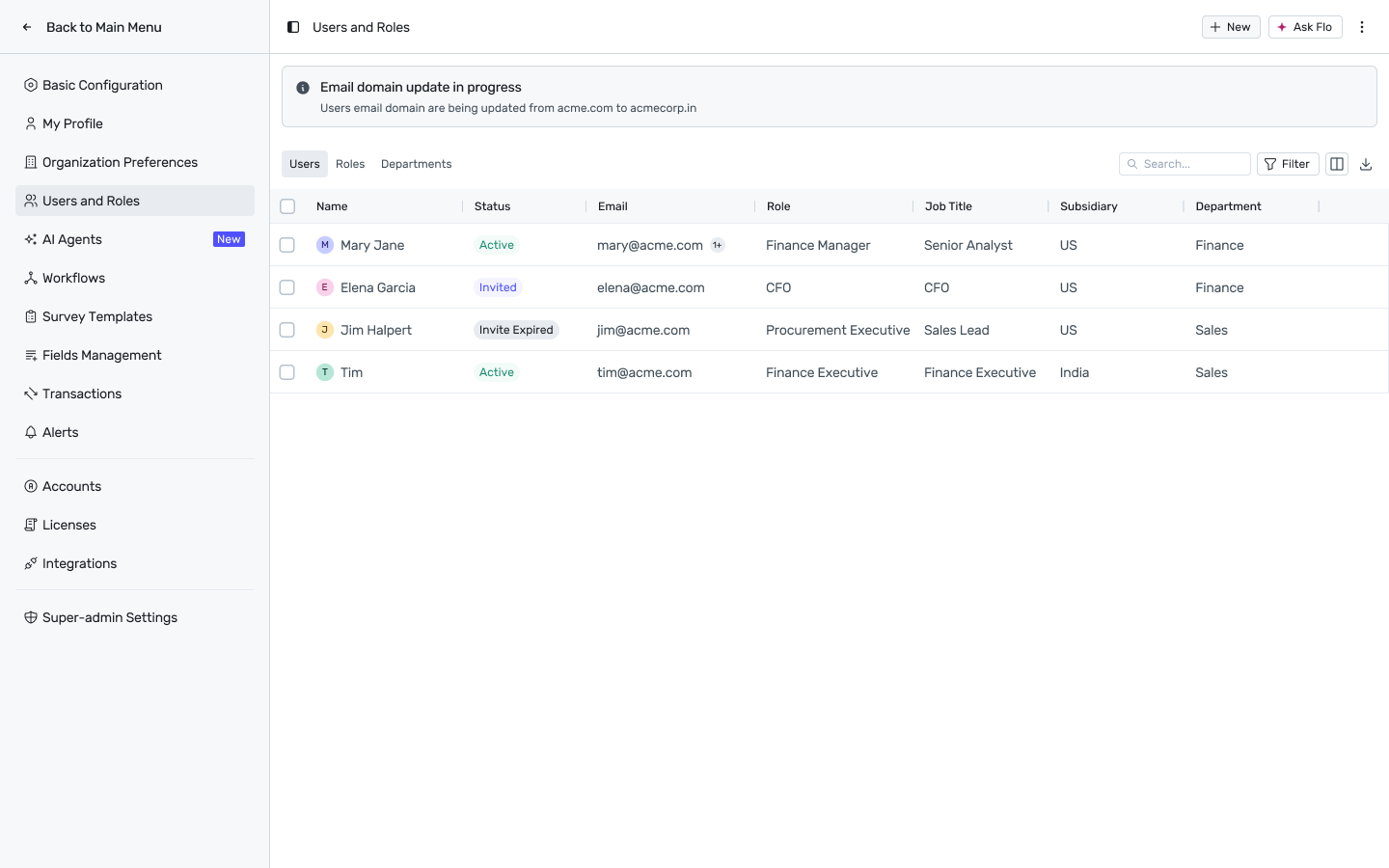
While running, a banner reads “Email domain update in progress”. When it finishes, you'll see one of two outcomes:
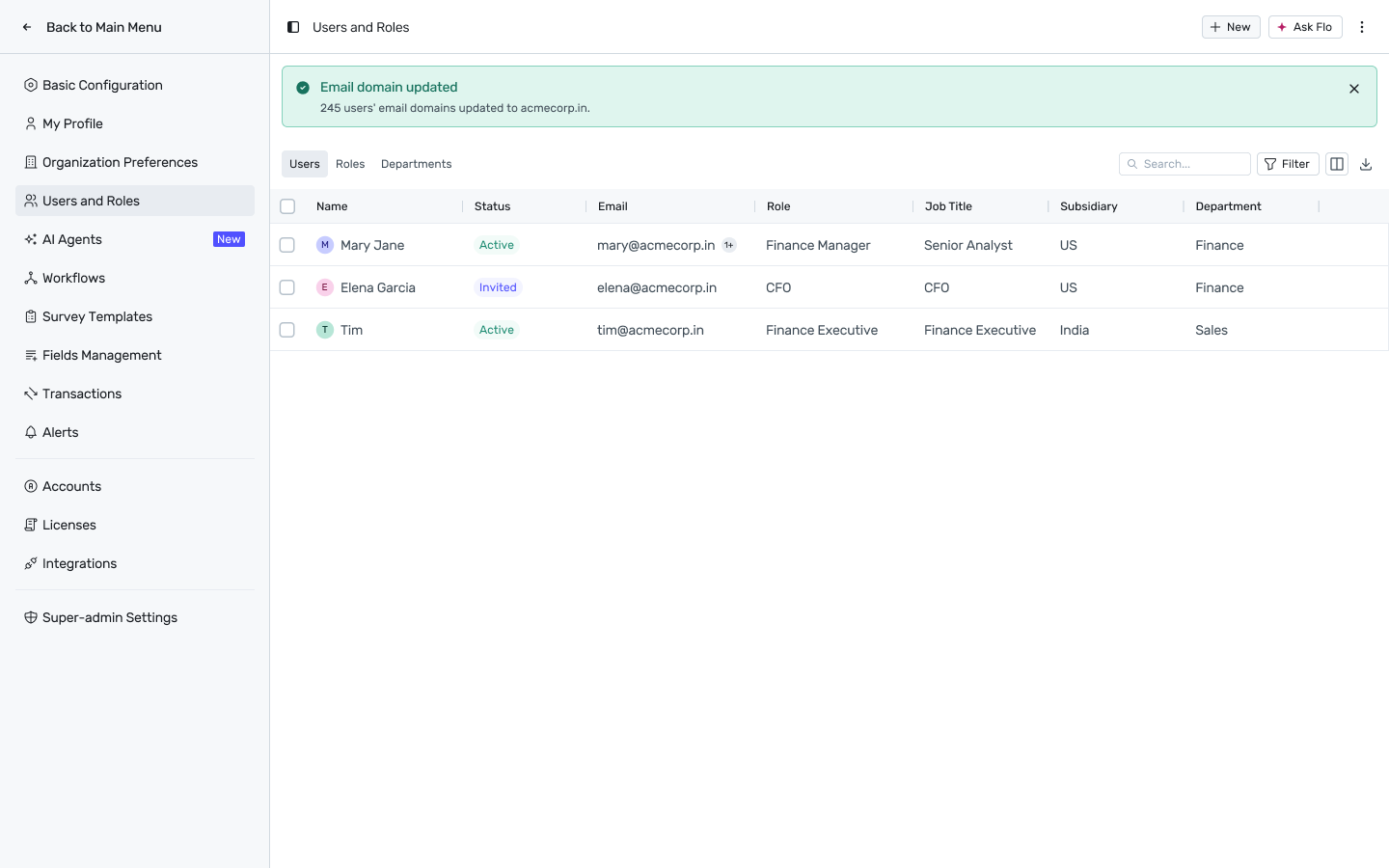
Full success — a green banner: “Email domain updated — N users' email domains updated to [new domain].”
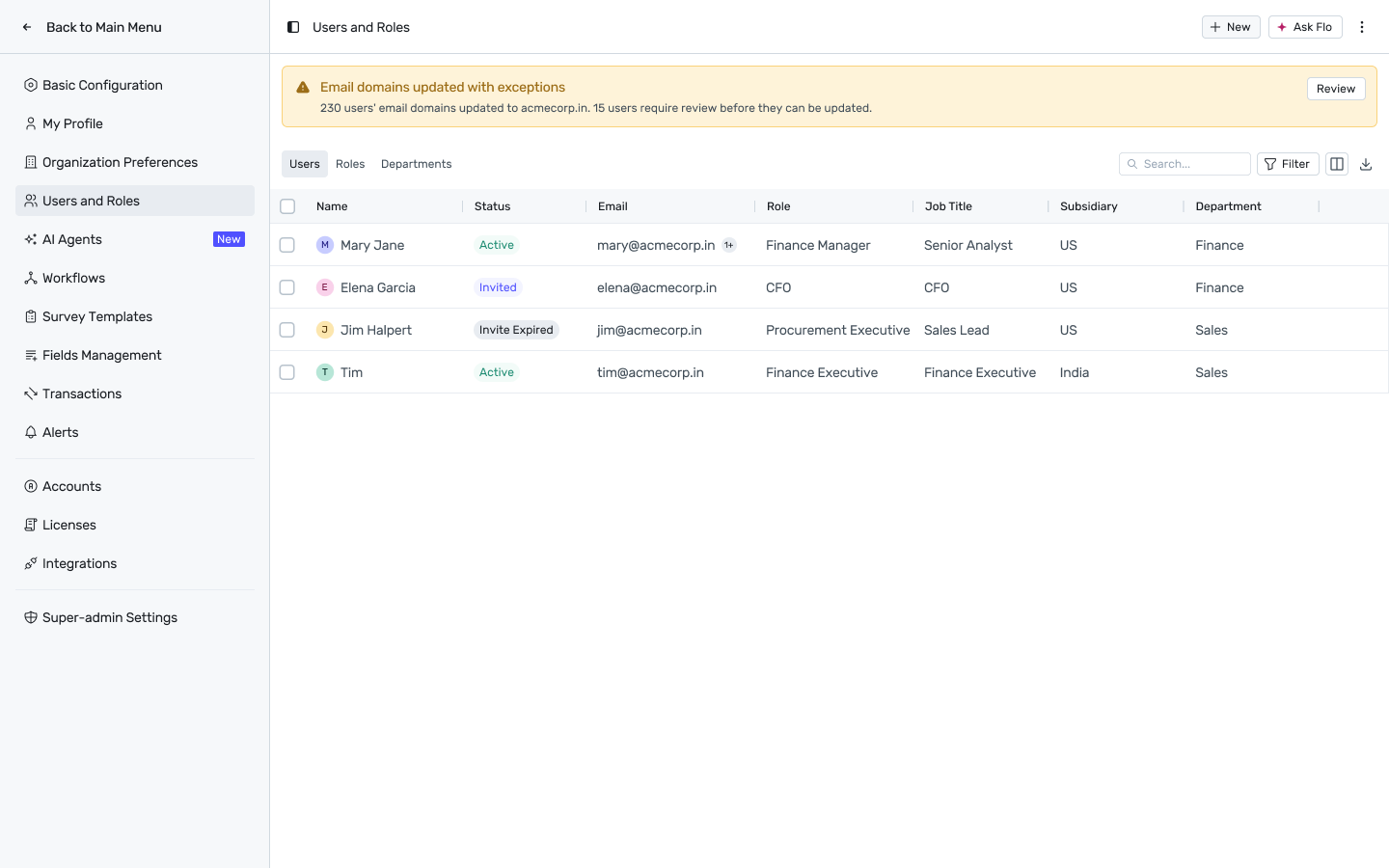
Partial success — an amber banner: “Email domains updated with exceptions — N users' email domains updated to [new domain]. M users require review before they can be updated.” with a Review button.
Reviewing unmatched users
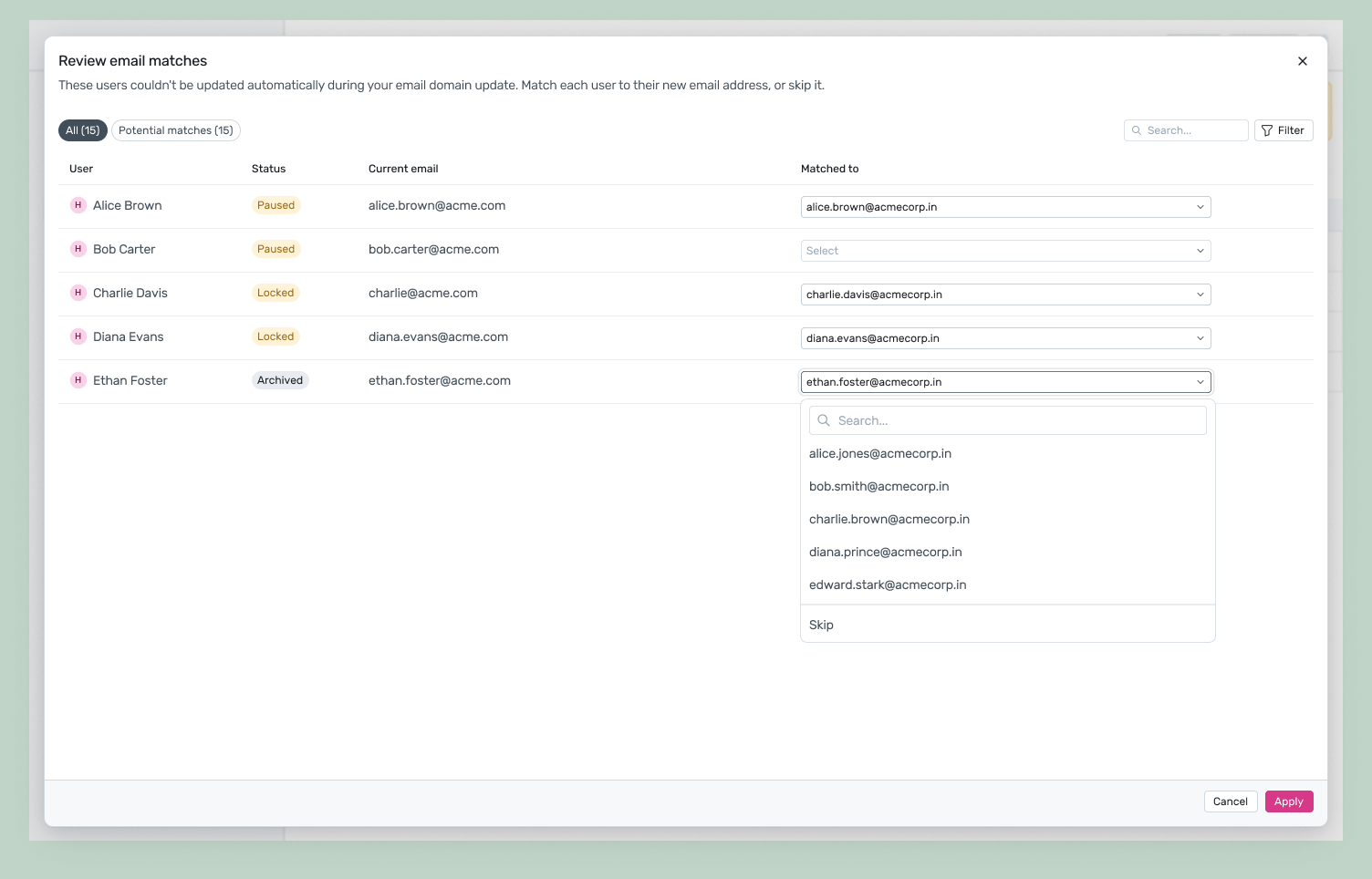
Review opens Review email matches: a table of every user Spendflo couldn't match automatically, with columns User, Status, Current email, and Matched to. Filter between All and Potential matches.
Where Spendflo has a likely guess, the Matched to dropdown is pre-filled — review and accept, or change it.
Where there's no guess, the field shows Select; open it to search candidate new-domain addresses, or choose Skip to leave that user unresolved for now.
Click Apply to commit your matches. Skipped users remain in the reconciliation list.
Optionally enable “Continue checking unmatched users in future HRMS/IdP syncs” — while active, Spendflo keeps re-checking skipped users against every subsequent sync and notifies you if a match turns up, instead of requiring you to re-run the migration manually.
Once every user on the old domain has been migrated or explicitly resolved, the new domain becomes the domain Spendflo expects going forward — it governs subsequent HRMS/IdP syncs and manual invites the same way the old domain did before the migration.
FAQs
Q: Can I undo an email domain migration?
Yes — the change can be reversed at any time per the migration dialog's copy.
Q: What happens to a user's history if their email changes?
Nothing. A user's history, roles, and permissions are tied to their account, not their email address, so they're unaffected by an email or domain change.
Q: A CSV row failed — do I need to redo the whole file?
No. Failed rows are reported individually with a reason; fix just those rows and re-upload.